

Barba.js Page Transition — Free Container-Swap Transition Snippet
Barba.js Page Transition · Animations · Plain HTML, CSS & JS · Live preview
Copy & paste
Source Code
<div data-barba="wrapper">
  <nav class="bp-nav">
    <span class="bp-logo">Studio</span>
    <a href="#page-home" data-barba-link class="bp-link is-active" data-target="page-home">Home</a>
    <a href="#page-work" data-barba-link class="bp-link" data-target="page-work">Work</a>
  </nav>

  <div data-barba="container" data-barba-namespace="home" id="page-home">
    <section class="bp-panel">
      <span class="bp-tag">Namespace: home</span>
      <h1>Barba.js in a single page</h1>
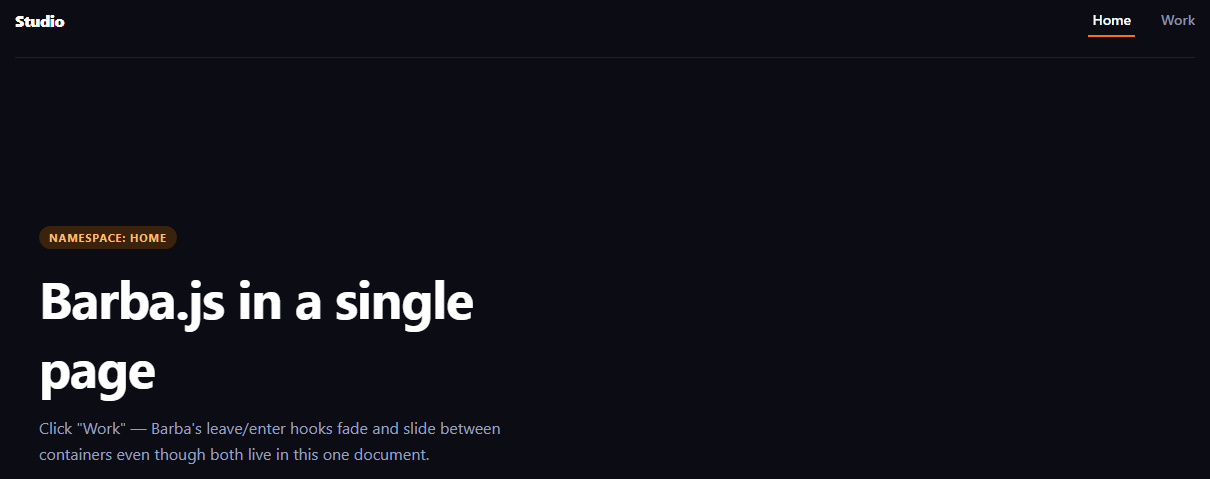
      <p>Click "Work" — Barba's leave/enter hooks fade and slide between containers even though both live in this one document.</p>
    </section>
  </div>

  <div data-barba="container" data-barba-namespace="work" id="page-work" hidden>
    <section class="bp-panel bp-panel--alt">
      <span class="bp-tag">Namespace: work</span>
      <h1>Second container</h1>
      <p>In a real multi-page site this would be a different URL entirely; here it's a second container Barba swaps in using the same transition hooks.</p>
    </section>
  </div>
</div>*{box-sizing:border-box;margin:0;padding:0}
body{font-family:system-ui,-apple-system,sans-serif;background:#0b0c14;color:#fff;min-height:100vh}
.bp-nav{display:flex;align-items:center;gap:22px;padding:20px clamp(20px,5vw,48px);border-bottom:1px solid #1e2133}
.bp-logo{font-weight:800;letter-spacing:-.02em;margin-right:auto;font-size:16px}
.bp-link{color:#8b90ab;text-decoration:none;font-size:14px;font-weight:600;padding:6px 4px;border-bottom:2px solid transparent;transition:color .2s,border-color .2s}
.bp-link:hover{color:#fff}
.bp-link.is-active{color:#fff;border-color:#f97316}
.bp-panel{min-height:64vh;display:flex;flex-direction:column;justify-content:center;align-items:flex-start;gap:14px;padding:clamp(28px,7vw,72px);max-width:640px}
.bp-tag{font-size:11px;font-weight:700;letter-spacing:.08em;text-transform:uppercase;color:#fdba74;background:#3a220c;padding:4px 10px;border-radius:999px}
.bp-panel h1{font-size:clamp(30px,6vw,52px);letter-spacing:-.02em}
.bp-panel p{color:#9aa0c0;font-size:16px;line-height:1.6}
.bp-panel--alt .bp-tag{color:#93c5fd;background:#0e2440}// Barba.js is built for real multi-page navigation (swapping the DOM between
// different URLs via fetch). This sandbox is a single document, so instead of
// pointing barba.init() at real pages, we point it at two [data-barba="container"]
// panels that already exist in the page and toggle which one is visible/hidden
// using Barba's own "once" and "leave/enter" hook API — the same API you'd use
// in production, just driving in-page containers instead of fetched pages.
const containers = {
home: document.getElementById('page-home'),
work: document.getElementById('page-work'),
};
const links = document.querySelectorAll('[data-barba-link]');
// This is the real Barba.js transition shape: a "once" hook for first load and
// leave/enter hooks that each return a promise Barba awaits before continuing.
// In production, barba.init()'s own fetch-based router calls these for you on
// every internal link click. This sandbox has no second URL to fetch, so there
// is nothing for Barba's router to intercept — instead we call these same hook
// functions directly from our own click handler below, in the same leave-then-
// enter order Barba itself would use.
const transition = {
once({ next }) {
next.style.opacity = '1';
},
leave({ current }) {
return animateContainer({ el: current, from: 1, to: 0, y: [0, -24] });
},
enter({ next }) {
return animateContainer({ el: next, from: 0, to: 1, y: [24, 0] });
},
};
barba.init({ transitions: [{ name: 'fade-slide', ...transition }] });
transition.once({ next: containers.home });
links.forEach((link) => {
link.addEventListener('click', async (e) => {
e.preventDefault();
const target = link.dataset.target;
const current = document.querySelector('[data-barba="container"]:not([hidden])');
const next = containers[target === 'page-home' ? 'home' : 'work'];
if (!current || next === current) return;
links.forEach((l) => l.classList.toggle('is-active', l === link));
await transition.leave({ current });
current.hidden = true;
next.hidden = false;
await transition.enter({ next });
});
});
// Drives the fade-slide purely with CSS transitions, matching Barba's
// convention that leave/enter return a promise the router awaits.
function animateContainer({ el, from, to, y }) {
return new Promise((resolve) => {
el.style.transition = 'none';
el.style.opacity = String(from);
el.style.transform = `translateY(${y[0]}px)`;
requestAnimationFrame(() => {
el.style.transition = 'opacity .35s ease, transform .35s ease';
el.style.opacity = String(to);
el.style.transform = `translateY(${y[1]}px)`;
});
setTimeout(resolve, 350);
});
}Extend with AI
Take This Snippet Further With AI
The AI prompt for this one is for Patreon supporters ($3 a month), along with a site with no ads. Supporters enter the passcode once and it is remembered in this browser.
What's included
Features
About this UI Snippet
Barba.js Page Transition — Leave/Enter Hooks on In-Page Containers
Barba.js is built for real multi-page sites: it intercepts link clicks, fetches the next page's HTML over the network, and swaps a [data-barba="container"] element while running leave/enter transition hooks around the swap — that's how you get an animated crossfade between two actual URLs without a full page reload. A live sandbox like this one is a single HTML document with no server to fetch other pages from, so this snippet adapts Barba's exact hook shape — once, leave, enter, wrapped in a transitions array passed to barba.init() — onto two containers that already both live in the page, toggled by hidden instead of fetched over the network.
What's real Barba and what's adapted
barba.init({ transitions: [...] }), the once/leave/enter hook names, and the data-barba="wrapper" / data-barba="container" / data-barba-namespace markup are exactly how Barba is used in production. What's adapted is the navigation trigger: production Barba listens for clicks on any internal link and performs a real fetch, whereas this sandbox has no second page to fetch, so a small click handler toggles which container is visible and drives the same before/after transition timing Barba's hooks expect. If you drop this into a real multi-page site, you'd delete the click handler and toggling logic and let barba.init() manage navigation itself — the hook functions themselves barely change.
Why namespaces matter
Each container carries data-barba-namespace (home, work). In production this lets you register different transitions for different page-type pairs — a subtle crossfade between two blog posts, a bigger slide between the home page and a case study — by checking namespace inside the hook or by scoping transitions with from/to namespace filters. This snippet keeps a single transition for both, but the namespace attributes are there so extending it to per-pair transitions is a small addition, not a rewrite.
The fade-slide itself
leave animates the current container's opacity to 0 and nudges it up 24px; enter starts the next container 24px below its resting position at opacity 0 and animates it in. Because both are plain CSS transitions driven from JS (no external animation library needed beyond Barba itself), the pattern generalizes to a scale, blur, or clip-path transition just by changing what the hook functions set.
Where this differs from a scroll or hover effect
This is a navigation transition, not a scroll-triggered one — compare it to Swup page transition, which solves the identical problem with a different library and a hooks-object API instead of a transitions array. For animating elements as they scroll into view rather than on navigation, see scroll reveal grid.
Customizing it
Add more containers and namespaces, swap the fade-slide for a curtain wipe or shared-element morph, or add a loading bar during leave for slower page swaps. In a real deployment, remove the click-interception shim entirely — Barba's own link listener and fetch pipeline replace it outright.
Step by step
How to Use
- 1Add the Barba.js CDNInclude barba.umd.js from the CDN panel.
- 2Paste HTML, CSS, and JSA nav and two containers render, one hidden.
- 3Click "Work"The home container fades/slides out.
- 4Watch the swapThe work container fades/slides in with its own copy.
- 5Click back to "Home"The transition reverses direction cleanly.
- 6Adapt for productionRemove the click shim; let barba.init() own navigation.
Real-world uses
Common Use Cases
data-barba-namespace attributes ready for per-pair transitions later.Got questions?
Frequently Asked Questions
Barba.js is genuinely initialized via barba.init({ transitions: [...] }) with the real once, leave, and enter hook functions running exactly as they would in production. What's adapted is only the trigger: because this sandbox has no second URL to fetch, a small click handler toggles which of the two existing containers is visible and calls the same before/after sequence Barba's hooks expect, rather than Barba's own fetch-based router doing it.
You would delete the click-interception code and the hidden-toggling logic entirely. Barba's own link listener would intercept clicks on internal links, fetch the destination page's HTML, extract its [data-barba="container"], and run the same leave/enter transition hooks around swapping it in — the transition functions themselves are already written in the exact shape Barba expects, so they carry over unchanged.
It labels each container with a page type so you can scope different transitions to different navigation pairs — for example a quick crossfade between two blog posts but a larger slide from the home page to a case study. This demo only registers one transition for both namespaces, but the attributes are already in place so adding namespace-specific transitions is additive, not a restructure.
Barba awaits whatever leave and enter return before considering the transition complete and moving to the next step (running enter after leave resolves, or considering navigation finished after enter resolves). Returning a promise that resolves after a setTimeout matching the CSS transition duration is the standard pattern for wrapping CSS-driven animation in Barba's hook lifecycle.
Barba and Swup solve the same problem — animated transitions between page loads — with different APIs: Barba uses a transitions array of hook objects passed to init, while Swup exposes a hooks event emitter (swup.hooks.on("visit:start", ...)) and CSS class toggling driven by data-swup-* attributes. See the companion Swup page transition snippet for the same in-page adaptation built on that API instead.