

Canvas Rainbow Mouse Trail — Free Hue-Cycling Cursor Snippet
Canvas Rainbow Mouse Trail · Animations · Plain HTML, CSS & JS · Live preview
Copy & paste
Source Code
<div class="rt-wrap">
  <canvas id="rtCanvas" class="rt-canvas"></canvas>
  <p class="rt-hint">Move your cursor across the panel — the trail cycles through hues.</p>
</div>*{box-sizing:border-box;margin:0;padding:0}
body{font-family:system-ui,-apple-system,sans-serif;background:#0a0a10;color:#fff;min-height:100vh;display:flex;align-items:center;justify-content:center;padding:24px}
.rt-wrap{display:flex;flex-direction:column;align-items:center;gap:14px;width:min(720px,96vw)}
.rt-canvas{width:100%;aspect-ratio:16/9;background:#0a0a10;border-radius:18px;border:1px solid rgba(255,255,255,.08);display:block;cursor:none}
.rt-hint{color:#6b7284;font-size:12px;letter-spacing:.04em}const canvas = document.getElementById('rtCanvas');
const ctx = canvas.getContext('2d');
let width, height, dpr;
let particles = [];
let hue = 0;
let pointer = null;
function resize() {
dpr = Math.min(window.devicePixelRatio || 1, 2);
width = canvas.clientWidth;
height = canvas.clientHeight;
canvas.width = width * dpr;
canvas.height = height * dpr;
ctx.setTransform(dpr, 0, 0, dpr, 0, 0);
}
function pointerPos(e) {
const rect = canvas.getBoundingClientRect();
const t = e.touches ? e.touches[0] : e;
return { x: t.clientX - rect.left, y: t.clientY - rect.top };
}
canvas.addEventListener('mousemove', e => {
pointer = pointerPos(e);
spawn(pointer.x, pointer.y);
});
canvas.addEventListener('touchmove', e => {
pointer = pointerPos(e);
spawn(pointer.x, pointer.y);
}, { passive: true });
canvas.addEventListener('mouseleave', () => { pointer = null; });
// Every mouse move adds a handful of small particles at the cursor, each
// carrying the current global hue so the trail visibly cycles through colors
// as time (and cursor position history) advances.
function spawn(x, y) {
hue = (hue + 2.5) % 360;
for (let i = 0; i < 2; i++) {
particles.push({
x: x + (Math.random() - 0.5) * 6,
y: y + (Math.random() - 0.5) * 6,
vx: (Math.random() - 0.5) * 1.4,
vy: (Math.random() - 0.5) * 1.4 - 0.3,
r: 2 + Math.random() * 3,
life: 1,
hue
});
}
}
function tick() {
ctx.clearRect(0, 0, width, height);
particles.forEach(p => {
p.x += p.vx;
p.y += p.vy;
p.vy += 0.01;
p.life -= 0.025;
ctx.beginPath();
ctx.arc(p.x, p.y, p.r * Math.max(p.life, 0), 0, Math.PI * 2);
ctx.fillStyle = 'hsla(' + p.hue + ',95%,65%,' + Math.max(p.life, 0) + ')';
ctx.fill();
});
particles = particles.filter(p => p.life > 0);
if (pointer) {
ctx.beginPath();
ctx.arc(pointer.x, pointer.y, 5, 0, Math.PI * 2);
ctx.fillStyle = 'hsla(' + hue + ',95%,75%,0.9)';
ctx.fill();
}
requestAnimationFrame(tick);
}
resize();
window.addEventListener('resize', resize);
tick();Extend with AI
Take This Snippet Further With AI
The AI prompt for this one is for Patreon supporters ($3 a month, 7 days free), along with a site with no ads. Supporters enter the passcode once and it is remembered in this browser.
What's included
Features
About this UI Snippet
Canvas Rainbow Mouse Trail — A Cursor Trail That Cycles Through Hue
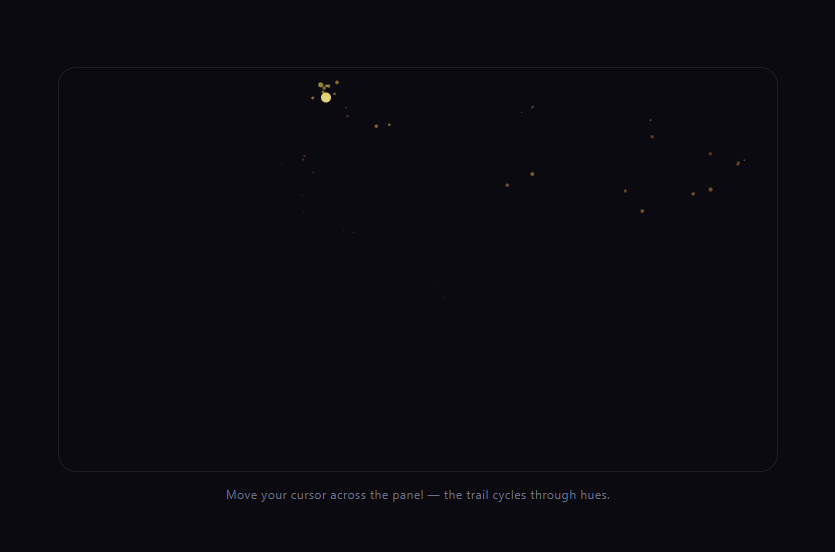
The rainbow mouse trail snippet leaves a stream of small, glowing particles behind your cursor, each one colored a little further along the color wheel than the last — so a slow, looping cursor movement paints a visible rainbow across the panel over a few seconds. It's built entirely with the Canvas 2D API and a single incrementing hue counter, no gradient or color library needed.
A single global hue counter, advanced on every move
Rather than picking a random or fixed color, one shared hue variable increments by a small amount (2.5) every time spawn() runs, wrapping around at 360 with the modulo operator. Every particle spawned in that call captures the *current* value of hue at creation time, so particles created moments apart carry visibly different, but adjacent, hues — that continuity across time is what makes the trail read as a smooth rainbow gradient rather than random flickering colors.
HSL makes hue-cycling trivial
Colors are expressed as hsla(hue, 95%, 65%, alpha) instead of RGB or hex. Because hue in HSL is a single 0-360 value representing position on the color wheel, cycling through the entire spectrum is just incrementing one number — RGB would require interpolating three channels in a coordinated way to achieve the same effect.
Short-lived particles, not a persistent line
Each particle has its own life value that decays every frame, shrinking its radius and fading its alpha in step (Math.max(p.life, 0) used for both) until it's removed. Because the canvas is fully cleared and redrawn each frame rather than using a fade-overlay trick, only currently-alive particles are visible — the trail's length is a direct function of the particle lifespan and how fast you're moving, not a fixed-length line of points.
Small random jitter and drift
Each spawned particle gets a slightly randomized starting offset and initial velocity, plus a small constant gravity-like pull (p.vy += 0.01), so the trail has a soft, organic scatter rather than particles stacking in a perfectly straight line behind the cursor.
Customizing it
Change the hue increment for a faster or slower color cycle, adjust particle lifespan for a longer or shorter trail, or swap the gravity pull for an upward drift. Pair it with canvas fluid cursor trail for a different trail texture, or particle network and starfield for other ambient canvas backgrounds.
Step by step
How to Use
- 1Paste HTML, CSS, and JSA canvas panel and hint text render.
- 2Move the cursor over the panelSmall particles spawn, cycling through hue.
- 3Move slowly in a loopYou can trace a visible rainbow across the panel.
- 4Hold stillThe existing trail fades out and no new particles spawn.
- 5Leave the panelThe cursor dot disappears and spawning stops.
- 6Resize the windowThe canvas adapts to the new panel size.
Real-world uses
Common Use Cases
Got questions?
Frequently Asked Questions
A single shared hue variable increments by a small fixed amount every time the spawn function runs, wrapping at 360 using the modulo operator. Every particle created in that call captures whatever the hue variable currently is, so particles spawned moments apart get adjacent hues, producing a smooth, continuous gradient across the trail rather than randomly assigned colors.
In HSL, hue is a single value from 0 to 360 representing a position on the color wheel, so cycling through every color is just incrementing one number. Achieving the same continuous rainbow sweep in RGB would require coordinating three separate channel values through a color wheel conversion, which is unnecessary complexity when HSL does it natively.
Each particle carries its own life value that decays a fixed amount every frame, and both its radius and opacity are derived from that same decaying value. Once life reaches zero the particle is filtered out of the array. Because the canvas is fully cleared and redrawn each frame, only currently-alive particles are visible, so trail length is governed by lifespan and cursor speed, not a fixed-length point buffer.
Each particle is spawned with a small randomized position offset and a randomized initial velocity, plus a constant small downward pull applied every frame. That combination gives the trail a soft, organic scatter and drift rather than particles stacking in a rigid single-file line directly behind the pointer.
Move the canvas setup, pointer listeners, and animation loop into a mount effect scoped to a canvas ref, keeping the particles array and hue counter in refs rather than component state so they persist without triggering re-renders. Cancel the requestAnimationFrame loop and remove event listeners in the cleanup function.