

3D Card Rotate on Scroll — Native CSS view-timeline
3D Card Rotate on Scroll (view-timeline) · Scroll · Plain HTML, CSS & JS · Live preview
What's included
Features
About this UI Snippet
3D Card Rotate on Scroll — animation-timeline: view() Driving rotateY()
A 3D card rotation reveal — where a card turns in on its Y-axis, settles flat, then turns back out as the reader keeps scrolling — is normally built with a scroll-triggered animation library like GSAP ScrollTrigger, computing a rotation value from the card's position relative to the viewport on every scroll frame. This snippet builds the identical effect using nothing but a per-element native CSS view timeline: the browser itself supplies the "how far through the viewport is this card" value, and a single @keyframes block maps that value to a Y-axis rotation.
A view timeline per card
Each .vcr-card declares its own view-timeline-name: --card-in and view-timeline-axis: block. Because every card uses the same custom-ident name, each card still gets an entirely independent timeline instance scoped to itself — card two's own transit through the viewport has nothing to do with card one's. That per-element timeline then drives an animation-timeline: --card-in reference on the same element's @keyframes vcr-turn animation.
Shaping entry AND exit with a comma-separated animation-range
Unlike a simple fade that only needs an entry range, this rotation needs two distinct windows: the card turning in as it enters, and turning back out as it exits. animation-range: entry 0% cover 45%, exit 55% exit 100% supplies both: the first range covers the entry phase (0% of entry to 45% covered), and the second covers the exit phase (55% through exit to fully exited). The keyframes themselves are written to match — from/30%/45%,55%/to — so the card is flat and fully opaque only in the very middle of its visible window, and turned away with reduced opacity at both edges.
Why rotateY and not a simple slide
A Y-axis rotation reads as physically dimensional in a way translateY or opacity fades do not — combined with perspective on the stage container and translateZ pulling the card slightly back during rotation, the card appears to be a physical object tumbling into and out of the page's plane rather than a flat layer sliding. backface-visibility: hidden prevents a distracting mirror-flash of the card's back face during the steepest part of the rotation.
Comparing to a per-element fade-in
View Timeline Image Reveal uses the same per-element view-timeline-name + animation-range pattern for a simpler clip-path reveal that only needs an entry range. This snippet demonstrates the natural next step: layering a second animation-range for the exit phase so the effect is symmetric on the way out, not just the way in.
Browser support
Chromium-based browsers (Chrome, Edge, Opera, Brave) support animation-timeline: view() today. Firefox and Safari support is still landing, so an @supports not (animation-timeline: view()) block resets every card to a flat, fully visible, non-rotated state rather than leaving cards stuck mid-turn or invisible.
Customizing it
Tune the entry 0% cover 45% and exit 55% exit 100% percentages to make the turn faster or slower relative to the card's total transit, swap rotateY for rotateX for a top-down tumble, or change view-timeline-axis to inline for a horizontally scrolling card row instead. Pair it with a Feature Cards layout or a Bento Grid for a scroll-paced feature story.
Step by step
How to Use
- 1Paste the HTML, CSS, and JSAn intro, a four-card stack, and an outro render — no library needed.
- 2Scroll down slowlyEach card rotates in on its Y-axis, settles flat, then rotates back out as it exits.
- 3Scroll back upThe rotation reverses correctly because the animation is bound to a live view timeline.
- 4Adjust animation-rangeWiden or narrow the entry/exit percentages to make the turn faster or slower.
- 5Swap rotation axisChange rotateY to rotateX in @keyframes vcr-turn for a top-down tumble instead.
- 6Export in your formatClick "HTML" for a standalone file, "JSX" for a React component, or "Tailwind" for a React + Tailwind version.
Real-world uses
Common Use Cases
Got questions?
Frequently Asked Questions
Each element that declares view-timeline-name creates its own independent timeline instance scoped to itself, even if multiple elements use the identical custom-ident name. The name is only used so the element's own animation-timeline property can reference it — it is not a shared, page-wide timeline the way scroll(root) is.
A single animation-range can list multiple ranges separated by commas, and each keyframe percentage in the associated @keyframes rule is then mapped proportionally across however many ranges are supplied. Here entry 0% cover 45% covers the first half of playback (the card entering) and exit 55% exit 100% covers the second half (the card exiting), letting one animation shape two distinct windows.
A Y-axis rotation combined with a perspective on the containing stage reads as a physically dimensional tumble rather than a flat opacity change, which draws more attention and feels more crafted for a hero-level feature showcase — at the cost of being a slightly heavier visual effect than a plain fade.
Yes. Because the animation is bound to a live view timeline rather than triggered once by an observer, scrolling a card back down out of view and then back up replays the exact same keyframe range in the corresponding direction with no manual reset needed.
The @supports not (animation-timeline: view()) block removes the animation and resets transform to none, so cards render flat and fully visible immediately in Firefox and Safari rather than being stuck mid-rotation or invisible.
Yes. Switch view-timeline-axis from block to inline and lay the cards out in a horizontally scrolling row (for example with scroll-snap) — each card's timeline will then track its transit across the horizontal viewport instead of the vertical one.
Build with AI
Build, Understand, Optimize, and Extend It With AI
You don't have to work through the dual animation-range math by hand. Paste this snippet's HTML, CSS, and JS into an AI coding assistant like Claude and ask it to explain exactly how the comma-separated animation-range: entry 0% cover 45%, exit 55% exit 100% maps onto the from/30%/45%,55%/to keyframe percentages in @keyframes vcr-turn, and why backface-visibility: hidden matters during the steepest part of the rotation. The same assistant is useful for extending the effect: ask it to alternate the rotation direction between cards (some turning in from the left, others from the right), add a subtle drop-shadow animation that intensifies as the card reaches its flat resting position, or convert the vertical stack into a horizontal scroll-snap row using view-timeline-axis: inline. Treat the code less like a finished artifact and more like a starting point for a conversation.
Prompt to recreate it
Copy this into your AI assistant of choice to build the effect from scratch, or as a jumping-off point for your own variant:
Build a vertical stack of cards that rotate in on their Y-axis as they enter the viewport, settle flat, then rotate back out as they exit — using only native CSS scroll-driven animations with per-element view timelines (animation-timeline: view() via view-timeline-name and view-timeline-axis). No JavaScript, no scroll event listeners, no animation library.

Requirements:
- Several card elements, each containing a heading and a short description, laid out vertically with generous spacing between them.
- Every card must declare its own view-timeline-name and view-timeline-axis: block, then reference that timeline via animation-timeline on a keyframe animation applied to the same element.
- Use a comma-separated animation-range with two ranges — one covering the card's entry into the viewport, one covering its exit — so a single keyframe animation can shape both the turn-in and the turn-out symmetrically.
- The keyframes must animate transform using rotateY() combined with perspective() and a translateZ() pullback, plus opacity, so the card reads as a physically dimensional object tumbling into and out of the page rather than a flat sliding layer. Set backface-visibility: hidden on the card face to avoid a mirrored flash mid-rotation.
- Wrap the whole effect in @supports not (animation-timeline: view()) so unsupported browsers show every card flat, fully visible, and untransformed instead of stuck mid-rotation.
- Keep any JavaScript limited to a CSS.supports('animation-timeline: view()') feature check for a console message — it must not drive or trigger the rotation itself.
Want to tighten it up first? Run this prompt through the AI Prompt Studio to score it across 8 quality dimensions, catch anti-patterns, and tune the wording for Claude, ChatGPT, or Gemini before you paste it in.
Source Code
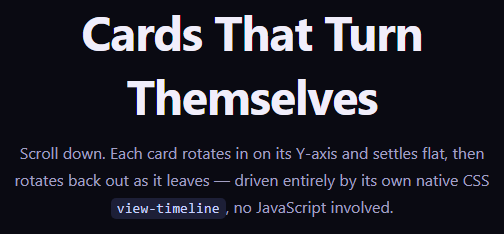
<section class="vcr-intro"><h1>Cards That Turn Themselves</h1><p>Scroll down. Each card rotates in on its Y-axis and settles flat, then rotates back out as it leaves — driven entirely by its own native CSS <code>view-timeline</code>, no JavaScript involved.</p></section>
<div class="vcr-stage">
  <div class="vcr-card" style="--vcr-hue:262"><div class="vcr-face"><h3>Design System</h3><p>Tokens, components, and a shared language across every product surface.</p></div></div>
  <div class="vcr-card" style="--vcr-hue:200"><div class="vcr-face"><h3>Realtime Sync</h3><p>Every edit propagates to collaborators in under 80ms.</p></div></div>
  <div class="vcr-card" style="--vcr-hue:150"><div class="vcr-face"><h3>Edge Rendering</h3><p>Pages render close to the user, not just close to the database.</p></div></div>
  <div class="vcr-card" style="--vcr-hue:20"><div class="vcr-face"><h3>Type-Safe API</h3><p>Every endpoint is generated from a single schema, end to end.</p></div></div>
</div>
<section class="vcr-outro"><p>Every rotation above played on its own schedule, timed by that card's own transit through the viewport.</p></section>*{box-sizing:border-box;margin:0;padding:0}
body{font-family:system-ui,-apple-system,sans-serif;background:#0a0a12;color:#f1eefb}
.vcr-intro,.vcr-outro{min-height:60vh;display:flex;flex-direction:column;justify-content:center;align-items:center;text-align:center;gap:12px;padding:24px;max-width:560px;margin:0 auto}
.vcr-intro h1{font-size:clamp(28px,5.5vw,48px);letter-spacing:-.02em}
.vcr-intro p,.vcr-outro p{color:#a3a0c4;font-size:16px;line-height:1.7}
code{background:rgba(129,140,248,.16);color:#c7d2fe;padding:2px 6px;border-radius:5px;font-size:.9em;font-family:ui-monospace,Consolas,monospace}
.vcr-stage{display:flex;flex-direction:column;gap:26vh;max-width:480px;margin:0 auto;padding:12vh 24px;perspective:1200px}
.vcr-card{
view-timeline-name:--card-in;
view-timeline-axis:block;
animation:vcr-turn linear both;
animation-timeline:--card-in;
animation-range:entry 0% cover 45%, exit 55% exit 100%;
transform-style:preserve-3d;
}
.vcr-face{
border-radius:20px;padding:36px 30px;min-height:180px;display:flex;flex-direction:column;justify-content:center;gap:10px;
background:linear-gradient(155deg, hsl(var(--vcr-hue) 70% 22%), hsl(var(--vcr-hue) 60% 12%));
border:1px solid hsl(var(--vcr-hue) 50% 30%);
box-shadow:0 24px 48px -20px rgba(0,0,0,.6);
backface-visibility:hidden;
}
.vcr-face h3{font-size:19px;margin-bottom:4px}
.vcr-face p{color:#c8c4e0;font-size:14px;line-height:1.6}
@keyframes vcr-turn{
from{ transform:perspective(1200px) rotateY(-72deg) translateZ(-40px); opacity:0 }
30%{ opacity:1 }
45%,55%{ transform:perspective(1200px) rotateY(0deg) translateZ(0); opacity:1 }
to{ transform:perspective(1200px) rotateY(72deg) translateZ(-40px); opacity:0 }
}
@supports not (animation-timeline: view()){
.vcr-card{opacity:1;animation:none;transform:none}
}// Every card rotation above is entirely driven by CSS animation-timeline:
// view() (via a named view-timeline per card) with animation-range shaping
// the entry and exit windows. No JS observes scroll or intersection at all
// — this script only reports feature support for the demo readout.
const supportsView = typeof CSS !== 'undefined' && CSS.supports('animation-timeline: view()');
console.log('[view-timeline-card-rotate-3d] native view() timeline supported:', supportsView);
document.querySelectorAll('.vcr-face h3').forEach(h => {
if (!supportsView) h.textContent += ' (static fallback)';
});