
Fashion Boutique Website (Online Store) Template
A clean, editorial website for a clothing brand or boutique. A store header with search, wishlist, cart and a mega menu leads into a full-width hero, collection tiles, a strip of new arrivals, and a Shop the Look lookbook whose dots open a product card that adds straight to the bag. The shop page filters by category, size, colour, price and rating, the product page has sizes, colours and a sticky buy bar, and the order runs through a bag drawer, checkout and thank you page.
One page keeps everything on a single scrolling page. The 11-page website opens all its pages in the editor: Home, Shop, Product, Cart, Checkout, Thank you, Orders, Wishlist, Our story, Help, Privacy.

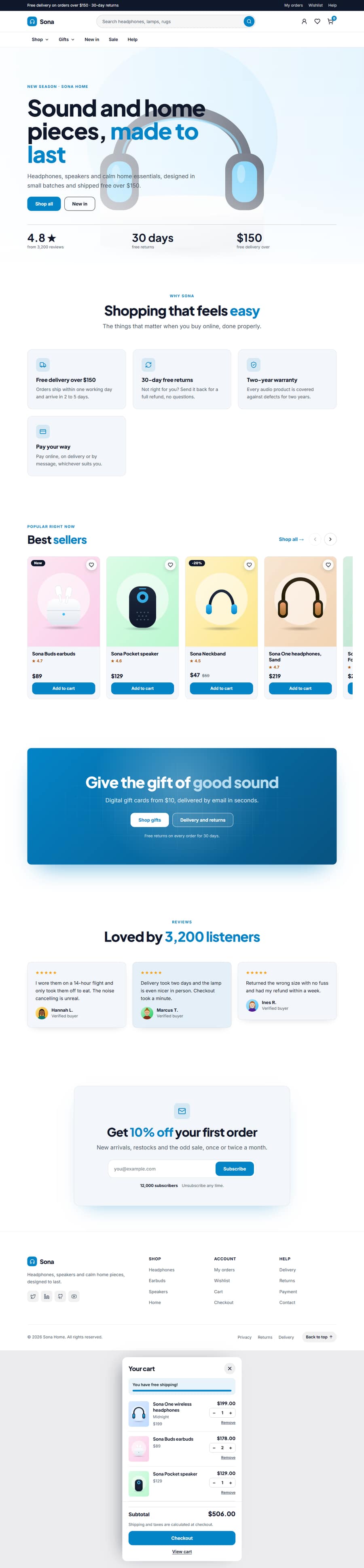



Fashion Boutique Website (Online Store) Template — Free, Editable, Export HTML
Retail · One page or 11 pages · 10 sections · Playfair Display + DM Sans · Responsive · GSAP animation
Extend with AI
Take This Template Further With AI
Give this prompt to an AI assistant to generate your own version of the Fashion Boutique Website (Online Store) template: swap in your business name, services and tone, add or remove sections, translate it, or turn the page into a Next.js project or a WordPress theme. Use the template above as the visual reference, so you and the AI start from a design that already works.
Prompt to recreate it
Copy this into your AI assistant of choice to build the effect from scratch, or as a jumping-off point for your own variant:
Build a complete fashion boutique website (online store) website for “Ora Studio” as clean HTML, CSS and a little JavaScript.

Page structure, top to bottom:
1. Ecommerce Mega Menu — Link Columns
2. Image Background Hero: “Clothes made to be lived in”
3. Collection Tiles: “Shop by collection”
4. You Might Also Like (Product Strip): “Fresh arrivals”
5. Shop the Look: “Shop the weekend look”
6. Split Features With Image: “Fewer pieces, made properly”
7. Testimonial Wall: “Loved by 2,100 customers”
8. Newsletter Signup CTA: “Get 10% off your first order”
9. Multi-Column Footer
10. Cart Drawer (Mini Cart)

Look and feel:
- Colours as CSS custom properties: brand #1a1a1a, page background #f7f3ec, cards #efe9df, text #1a1a1a, muted text #5f5a52. Corner radius 6px, content width 1200px.
- Headings in Playfair Display, body text in DM Sans (load both from Google Fonts with display=swap).
- Mobile first. Sections use CSS grid or flexbox and stack cleanly below 700px.

Content:
- Write real, believable retail copy for every section instead of lorem ipsum: specific offers, numbers, names and calls to action.
- One clear primary action in the hero and again near the end.

Quality:
- Semantic HTML (header, main, section, footer) with exactly one h1, the hero headline, and one h2 per section.
- Accessible: alt text on every image, visible focus states, labelled form fields, buttons and links with clear text, and prefers-reduced-motion respected.
- SEO: title “Ora Studio: Considered Clothes Made From Natural Fabrics”, a meta description of 150 to 160 characters, Open Graph tags and JSON-LD that suits a retail business.
- Optional: a subtle GSAP ScrollTrigger fade-up on section headings, with content visible without JavaScript.

Also create these pages with the same navbar, footer and theme, and link them from the menu:
- Shop (shop.html)
- Product (product.html)
- Cart (cart.html)
- Checkout (checkout.html)
- Thank you (thank-you.html)
- Orders (orders.html)
- Wishlist (wishlist.html)
- Our story (about.html)
- Help (help.html)
- Privacy (privacy.html)
Want to tighten it up first? Run this prompt through the AI Prompt Studio to score it across 8 quality dimensions, catch anti-patterns, and tune the wording for Claude, ChatGPT, or Gemini before you paste it in.
Multi-page version
Pages in the 11-Page Fashion Boutique Website (Online Store) Template
What's included
Sections in the Fashion Boutique Website (Online Store) Template
Checklist
What a fashion boutique website (online store) Website Needs
About this template
A Free Fashion Boutique Website (Online Store) Template You Can Edit Online
A clean, editorial website for a clothing brand or boutique. A store header with search, wishlist, cart and a mega menu leads into a full-width hero, collection tiles, a strip of new arrivals, and a Shop the Look lookbook whose dots open a product card that adds straight to the bag. The shop page filters by category, size, colour, price and rating, the product page has sizes, colours and a sticky buy bar, and the order runs through a bag drawer, checkout and thank you page.
Use it as one scrolling page, or as a 11-page website (Home, Shop, Product, Cart, Checkout, Thank you, Orders, Wishlist, Our story, Help, Privacy) sharing one navbar, footer and theme. The one-page version is built from 10 sections of the Website Section Templates library and opens in the free Website Builder, where you can change every word and image, swap sections, set your own colours and fonts and export the finished site as clean HTML pages. The page is responsive, accessible and animated with GSAP, with content that stays visible without JavaScript.
The template ships with a Playfair Display and DM Sans font pairing and a colour theme suited to fashion boutique website (online store) websites; switch to any Google Font, upload your own, or apply your brand kit in one click.
Extras included
Extras Built Into the Fashion Boutique Website (Online Store) Template
Beyond the standard sections, the Fashion Boutique Website (Online Store) template includes 2 extras that you can edit, move or remove in the builder.
Reviews Summary & Rating: a reviews summary with a star breakdown and filter.
About Us & Our Story: an About us section with the story, facts and values.
Each extra has its own page in the free Website Section Templates library, where you can try its settings on their own before you use it here.
Make it yours
How to Get the Most From the Fashion Boutique Website (Online Store) Template
A fashion website has to do two things at once: look like a brand and work like a shop. This template gives you both. The home page opens with a store header (a top bar, a search field, wishlist and bag icons and a mega menu with a featured product), a full-width hero, four collection tiles, a strip of new arrivals, a Shop the Look lookbook, a short "slow fashion" story, customer reviews and a newsletter sign-up.
Shop the Look is the section that sets it apart. One styled photograph carries tappable dots on the garments; a tap opens a small card with the product photo, name, price and an Add to bag button that fills the same bag as the rest of the site. The collection tiles above it link into filtered views of the shop, so shoppers reach women's, men's, shoes or accessories in one tap.
The Shop page lists every piece with a search box, sorting and filters for category, colour, price, rating and sale items. The Product page has a gallery, colour swatches that switch the photo, size buttons with sold-out sizes, a quantity stepper, Add to bag and Buy now, a wishlist heart, trust badges, care and fit accordions, a sticky buy bar on phones and reviews. A slide-in bag drawer, a Cart page with a promo code, a Checkout page, a Thank you page, My orders and a Wishlist page complete the journey, and a Help page covers sizing, delivery and returns.
The bag, wishlist and orders live in the visitor's browser, so the shop works on any static host with no server or account. That also sets honest limits: there is no stock control, tax engine or order management, and orders reach you through the form service, WhatsApp or payment link you choose. For a large catalogue or international tax rules, use a hosted shop platform and keep this design as the front end.
Every exported page has one main heading, descriptive image text, clean internal links and Product structured data, all as plain HTML, CSS and a little JavaScript you can edit or move to another host.
Who it’s for
Best For
Step by step
How to Use This Template
- 1Open the templateClick “Use as one page” or “Use as 11-page website” to load it in the Website Builder. Your current website is kept in Saved.
- 2Make it yoursClick any section to change its text, images and links; upload your logo and photos.
- 3Set your brandPick colours and fonts in the Theme tab, or apply your saved brand kit.
- 4Adjust the pageAdd sections from the library, drag to reorder, duplicate or remove what you don’t need.
- 5Export and publishDownload the ZIP (one HTML file per page for the multi-page version) and upload it to Netlify, Vercel or any host.
Got questions?
Frequently Asked Questions
A lookbook photograph with tappable dots. Each dot opens a card with the product photo, name, price and an Add to bag button that adds the item to the shop bag, so a styled outfit can sell its pieces directly.
It does not handle card numbers. The checkout sends the order to a form service or WhatsApp, or sends the shopper to a payment link from Stripe, PayPal or Razorpay, which take the payment securely. For on-site card payments use a hosted shop platform.
Edit the product lists on the Shop page, the Product page and the strips: photo, name, category, price, colours and links. Categories, colour chips and price limits for the filters are built from the products you enter.
Yes. The multi-page version has Home, Shop, Product, Cart, Checkout, Thank you, Orders, Wishlist, Our story and Help pages sharing one header, footer and bag drawer, with filtered shop links such as shop.html?cat=Women already set up.
Yes. Replace the products and photographs, rename the collections, and move the Shop the Look dots onto your own items. The filters, bag and checkout work for any physical product.
Yes. The Fashion Boutique Website (Online Store) template is free for personal and commercial use, with no sign-up, no watermark and no attribution required.
Click “Use this template” to open it in the free Website Builder. Click any section to change its text, images and links, change colours and fonts for the whole page in the Theme tab, and add, remove or drag sections to reorder them.
Both. Use it as one scrolling page, or as a 11-page website (Home, Shop, Product, Cart, Checkout, Thank you, Orders, Wishlist, Our story, Help, Privacy) that opens with every page in the editor. The pages share one navbar, footer and theme, and the menu links to every page automatically. Add more pages (About, Pricing, Contact, Blog and others) or remove any you don’t need in the builder’s Pages tab.
Yes. As one page you get a ZIP with index.html and an assets folder. As a 11-page website you get one HTML file per page (index.html, shop.html, product.html, cart.html, checkout.html, thank-you.html, orders.html, wishlist.html, about.html, help.html, privacy.html), a shared styles.css and script.js, and an assets folder with your images, then upload it to any web host. Links between pages also work when you open the files from your computer.