Click any text to edit it right here · click an image or link to jump to its setting
- Replace the placeholder links: Header link, Invite link, Help centre link.
Team Invitation Email
Responsive · Dark mode
Welcome Email
Responsive · Dark mode
Getting Started Checklist Email
Responsive · Dark mode
Trial Ending Email
Responsive · Dark mode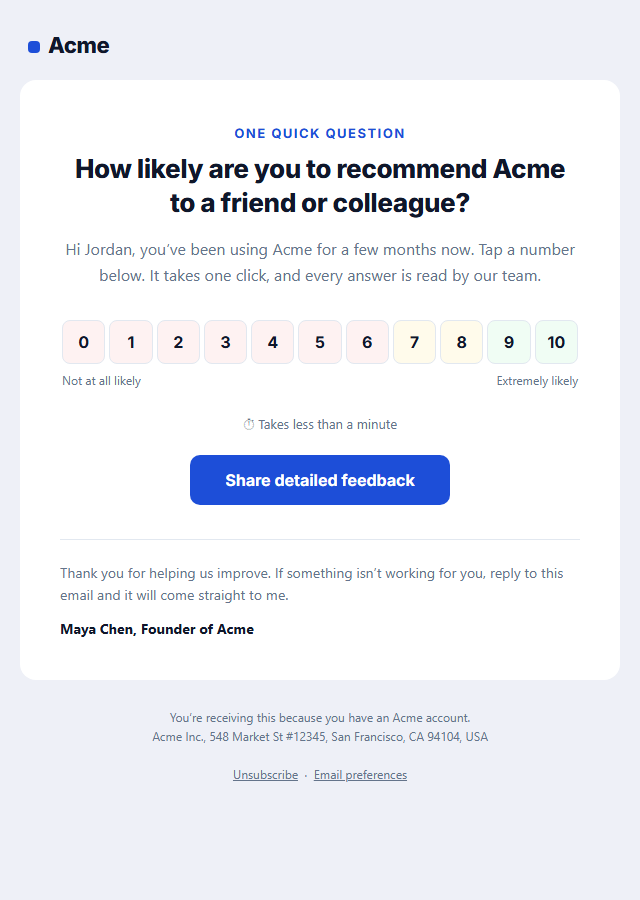
NPS Survey Email
Responsive · Dark mode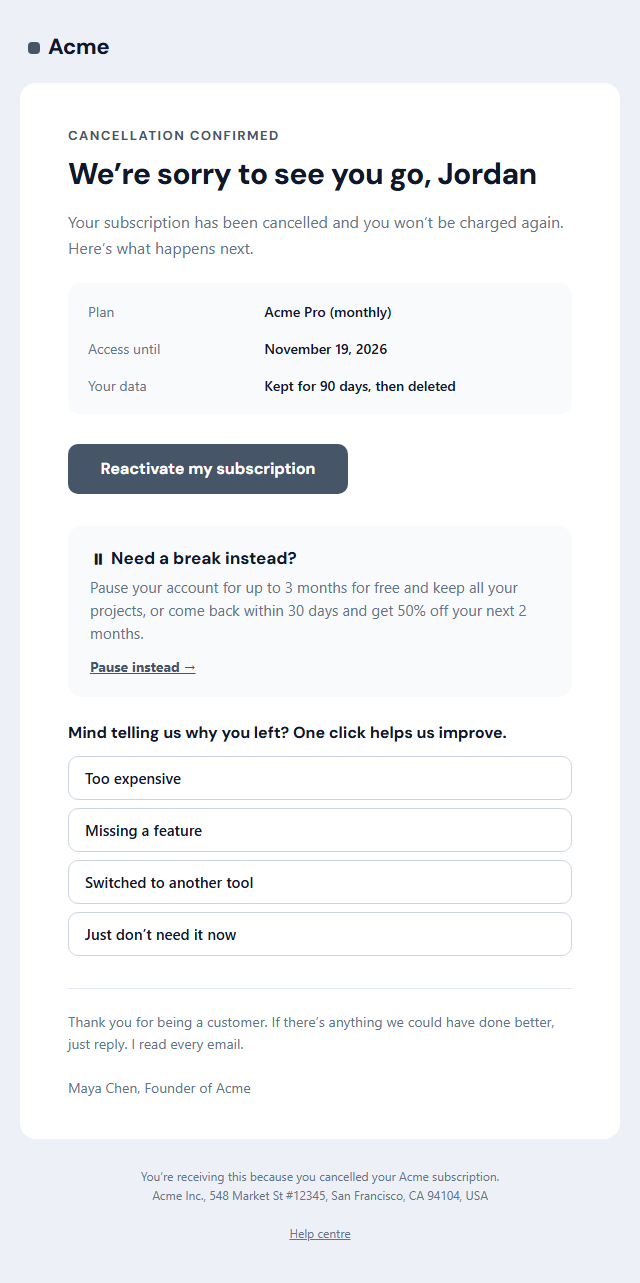
Subscription Cancellation Email
Responsive · Dark modeTeam Invitation Email — Free Responsive HTML Email Template
Onboarding & Lifecycle · v1.0.0 · Updated 2026-11-03 · Gmail, Outlook & Apple Mail · Dark mode
What's included
Features
About this template
Team Invitation Email — Free Workspace Invite Template for SaaS
Team Invitation Email is sent when someone adds a colleague to a workspace in your product. It is often the very first email that person has ever had from you, and it arrives with an obvious question attached: who sent this, and is it safe to click? A good invite answers that before the button, and it is one of the cheapest growth loops a B2B product has.
The person comes first, then the product
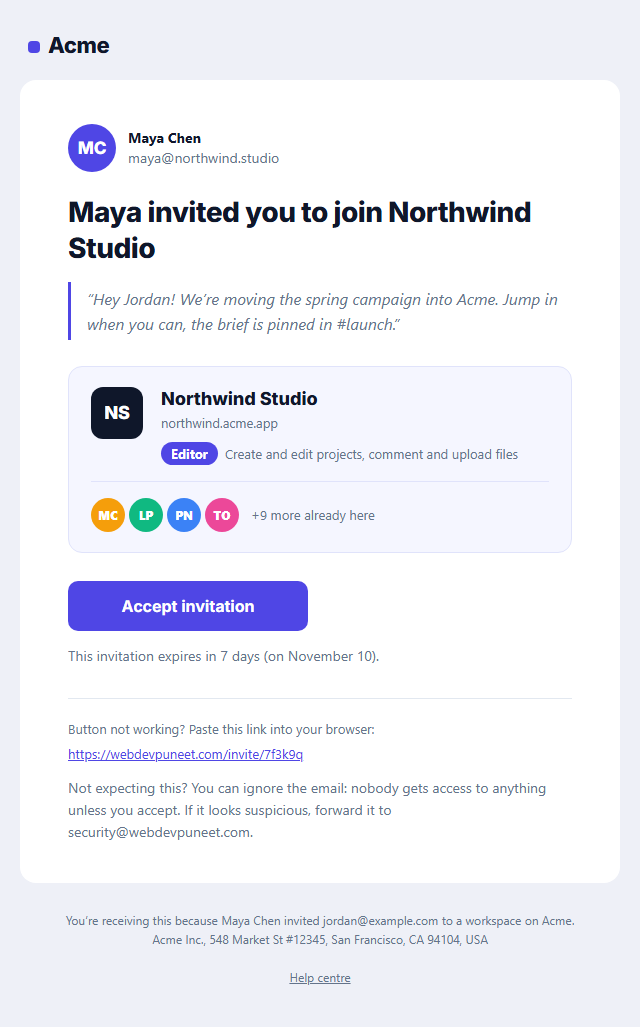
The email opens with the inviter: an initials avatar in your brand colour, their name and their email address. People accept invitations from colleagues, not from software, so the headline is written the same way: "Maya invited you to join Northwind Studio". An optional personal message is shown as a quote with a brand-coloured rule, so a short "jump in when you can" from Maya does more than any marketing copy.
A workspace card that shows what they are joining
Below the message, a card shows the workspace's initials tile, its name and address, the role they are being given as a pill (Editor, Viewer, Admin) and one line on what that role can do. A row of teammate initials, with "+9 more already here", proves the space is real and active. Initials are drawn as coloured table cells rather than images, so they show even when images are blocked.
Accept, expiry and a safety net
"Accept invitation" is a bulletproof button, followed by when the link expires and a fallback link to paste into a browser. The last paragraph tells anyone who was not expecting the email that nothing happens unless they accept, and where to forward it if it looks suspicious.
Built for transactional senders
Send it from your app through Postmark, Resend, SendGrid or Amazon SES with the inviter, workspace and token filled in. It is a transactional message, so it needs no unsubscribe link. Once they join, follow up with the Welcome Email and the Getting Started Checklist.
Extend with AI
Take This Email Further With AI
Give this prompt to an AI assistant to write your own version of the Team Invitation Email email: draft ten subject lines and preheaders, adapt the copy for a customer segment, translate it, convert it to MJML or React Email, or write the plain-text version. Then paste the result back into the editor above to check it in desktop, mobile and dark mode.
Prompt to recreate it
Copy this into your AI assistant of choice to build the effect from scratch, or as a jumping-off point for your own variant:
Create a responsive HTML email: “Team Invitation Email”, an onboarding email.

Purpose: A workspace invite for SaaS and B2B tools that answers "who sent this and is it safe?": the inviter’s initials and name, an optional personal message, a workspace card with its initials tile, your role and a row of teammate avatars with "+N more", an "Accept invitation" button, when the link expires and what to do if you weren’t expecting it.

Inbox text:
- Subject line: “Maya Chen invited you to join Northwind Studio on Acme”
- Preheader (hidden preview text): “Accept to see the team’s projects, boards and files. The invite link works for 7 days.”

Content, top to bottom:
- Invitation & button
- Workspace card
- Teammates

Headline: “Maya invited you to join Northwind Studio”. Main button: “Accept invitation”.
One primary action only, with short body text, so a new user knows exactly what to do next.

Build it like a professional email developer:
- Table-based layout, 600px wide on desktop and fluid on mobile (width 100%, max-width 600px).
- Inline CSS on every element, with one small style block only for media queries and dark mode (prefers-color-scheme).
- A bulletproof, Outlook-safe call-to-action button (padded table cell with a VML fallback), never an image.
- Colours: brand and button #4f46e5, button text #ffffff, page background #eef0f7. Web-safe font stack with a fallback after the brand font.
- Every image has alt text and explicit width and height. Use PNG icons, never SVG, because Gmail and Outlook drop them.
- Hidden preheader text, a plain-text version, and a legal footer with the postal address, the reason the person is receiving it and a working unsubscribe link.

Finish with a short checklist of what to test in Gmail, Outlook for Windows, Apple Mail, mobile and dark mode.
Want to tighten it up first? Run this prompt through the AI Prompt Studio to score it across 8 quality dimensions, catch anti-patterns, and tune the wording for Claude, ChatGPT, or Gemini before you paste it in.
Why use it
Why Use the Team Invitation Email Template
How it’s different
How It’s Different From Other Free Email Templates
Step by step
How to Use
- 1Pick your email platformChoose Mailchimp, Klaviyo, HubSpot or Brevo under Merge tags so first names and unsubscribe links export in its syntax, or keep plain {{first_name}} tokens.
- 2Edit the contentFill in the invitation & button, workspace card and teammates, or click any text in the preview to jump to its field. Switch the teammates on or off.
- 3Add your brandUpload or paste your logo, set the brand colour and the light and dark palettes, pick fonts, or apply your saved brand kit.
- 4Preview and checkSwitch between desktop, mobile and dark mode, and fix anything the pre-send checks flag, such as placeholder links or missing alt text.
- 5Export or forkCopy the HTML into Mailchimp, Klaviyo, HubSpot, Brevo or your own code, copy the plain-text version, download a ZIP with images, or fork it into My Code.
Real-world uses
Common Use Cases
Got questions?
Frequently Asked Questions
The inviter’s name in the subject line and at the top, the workspace and role, a short personal note if there is one, one clear accept button, when the link expires and a reassurance for anyone who was not expecting it.
Yes. "Maya Chen invited you to join Northwind Studio on Acme" is opened and trusted far more than "You have been invited to Acme". Many products also set the sender name to "Maya Chen via Acme".
Seven days is common for workspace invites. Long enough for someone on holiday, short enough that an old forwarded email cannot be used months later. Let admins resend an expired invite from the members page.
Initials in coloured cells always render, even when images are blocked, and never show a broken image or a stranger’s old photo. If you have profile photos, add them through an extra Image section or replace the cells in the HTML.
Generally yes: it is triggered by a user action and gives access to an account. Avoid adding promotions. Some teams still add a short line for recipients to block future invites, which is good practice.
It saves an editable copy of your Team Invitation Email in My Code, the UI Snippets code editor: the email markup goes in the HTML panel and its CSS (mobile and dark-mode rules plus fonts) in the CSS panel, so you can keep refining the code and save your own versions.
Yes. It is free for personal and commercial email, with no sign-up and no watermark. Everything runs in your browser, and your edits are saved locally.