Onboarding & Lifecycle Email Templates
8 free onboarding & lifecycle email templates. Welcome, getting-started checklist, team invitation, trial-ending, birthday, win-back, NPS survey and cancellation emails that turn sign-ups into loyal customers. Responsive, Outlook-safe and dark mode ready: edit in your browser, then copy the HTML, download a ZIP or fork it into My Code.
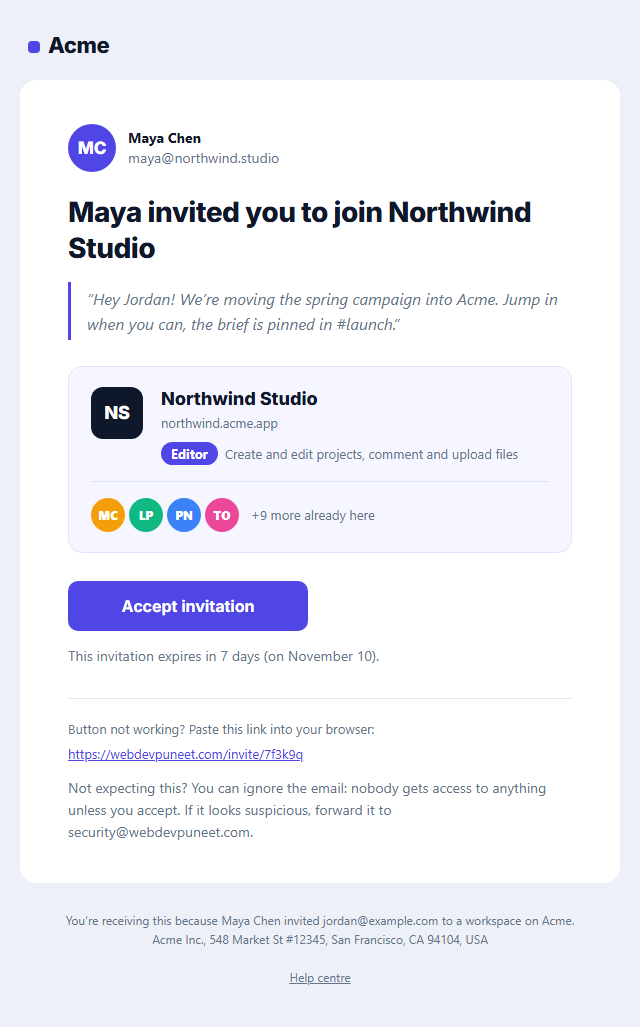
Team Invitation Email
Responsive · Dark mode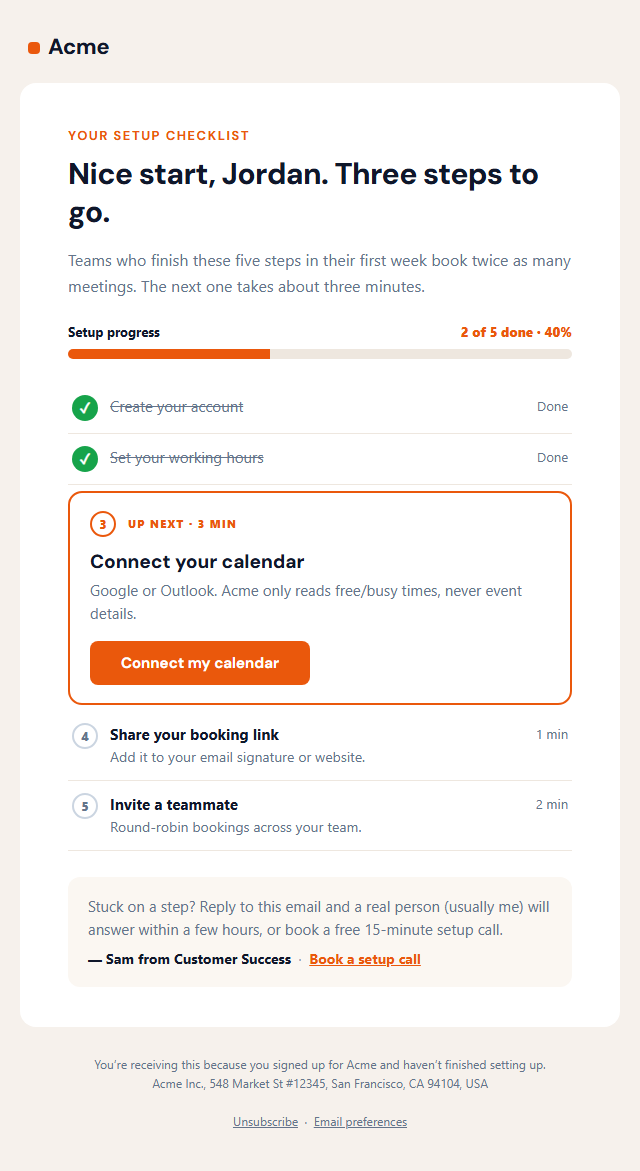
Getting Started Checklist Email
Responsive · Dark mode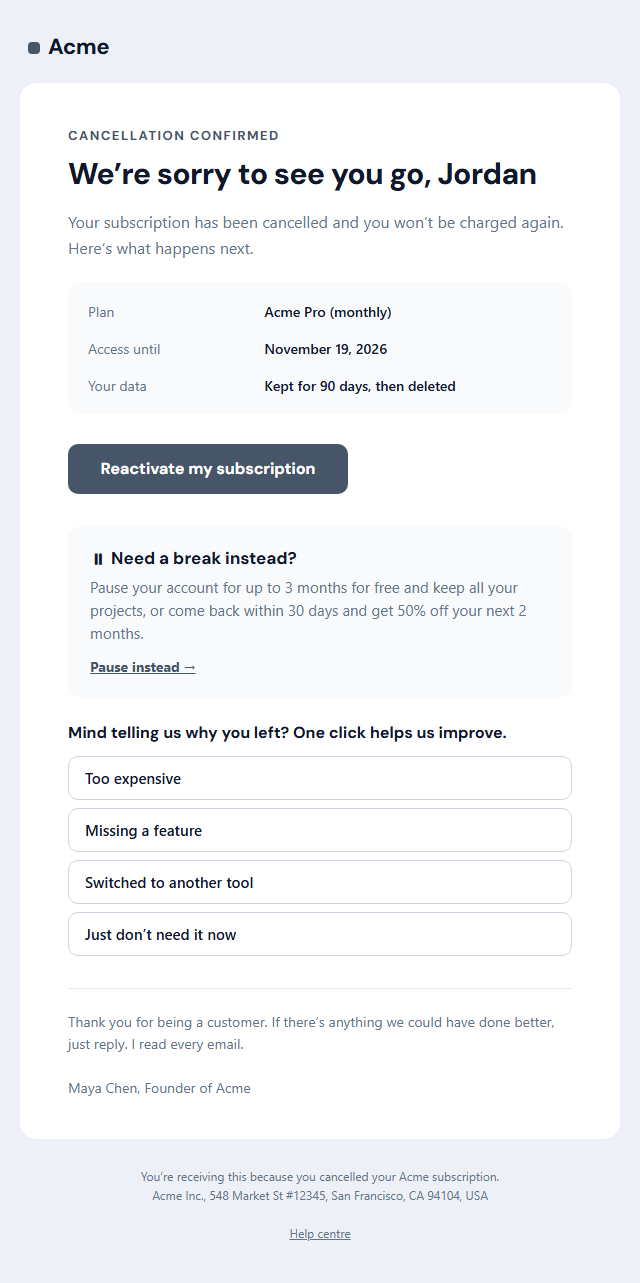
Subscription Cancellation Email
Responsive · Dark mode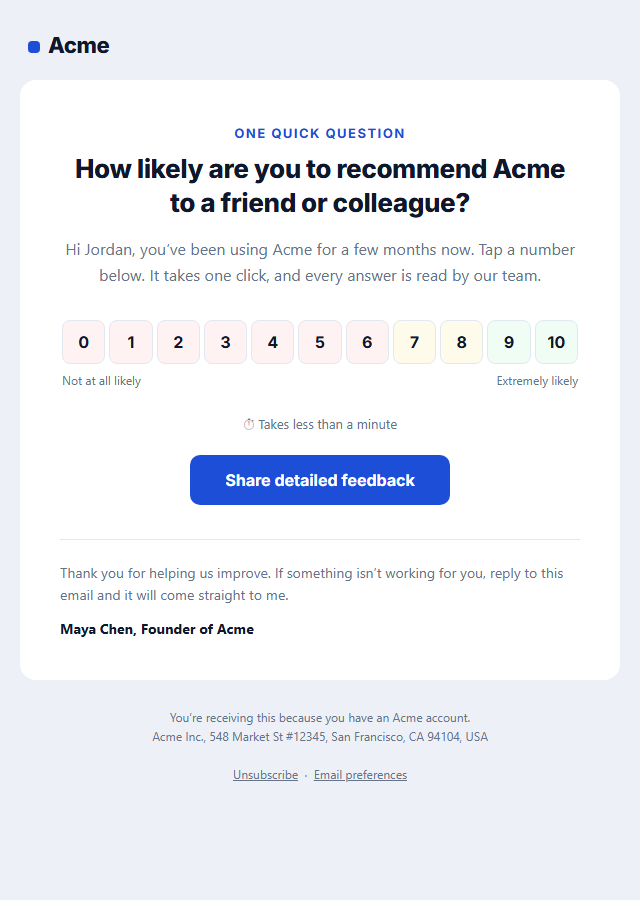
NPS Survey Email
Responsive · Dark mode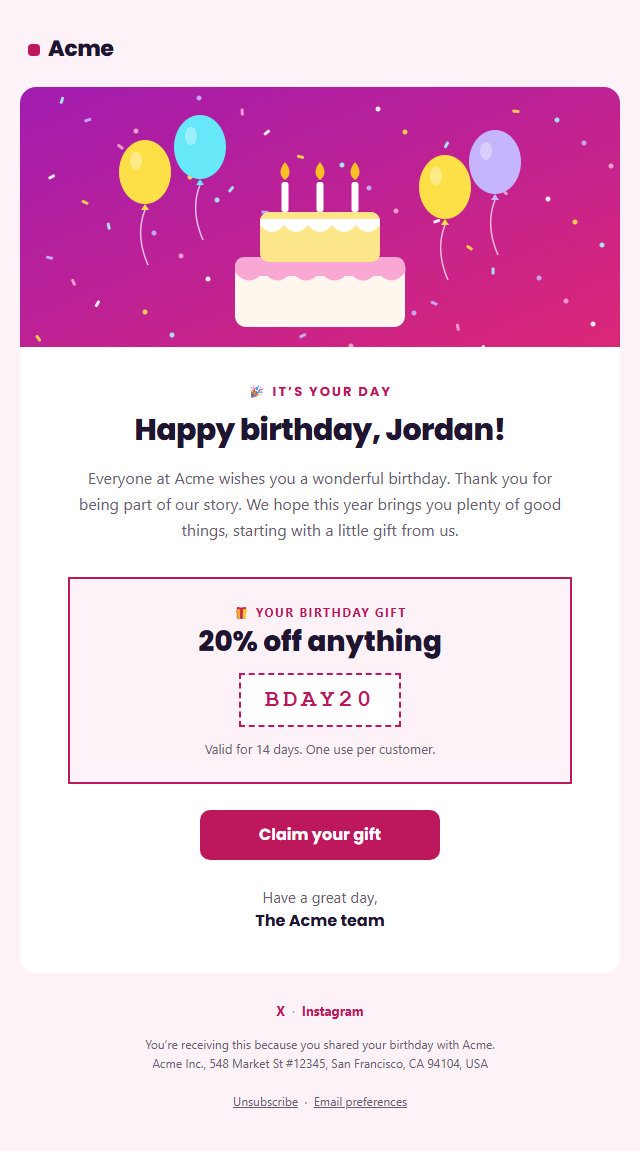
Birthday Email
Responsive · Dark mode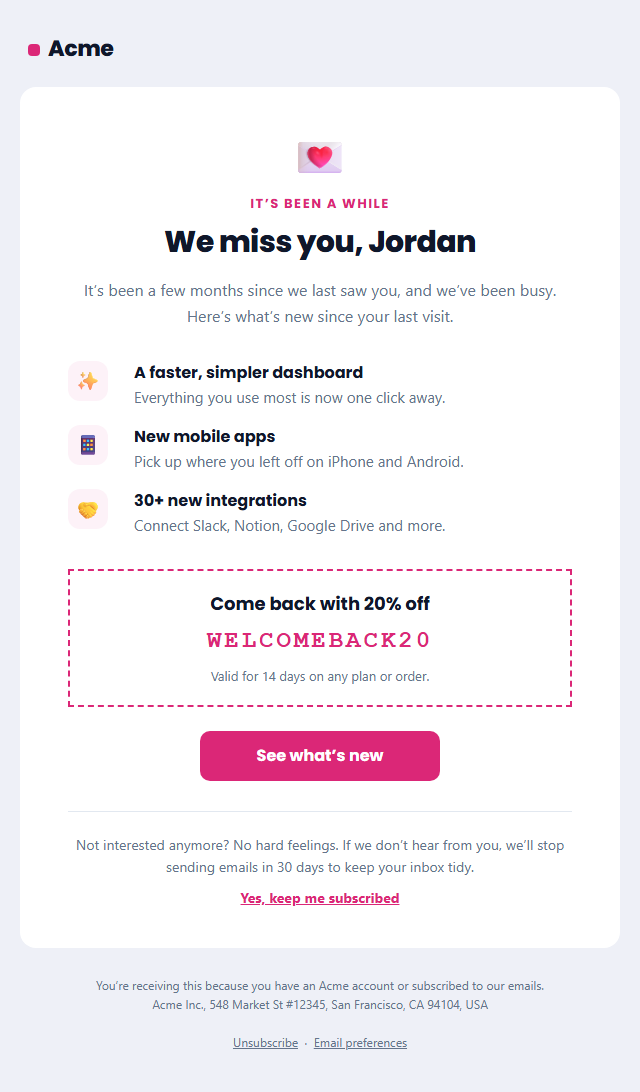
Re-engagement Email (We Miss You)
Responsive · Dark mode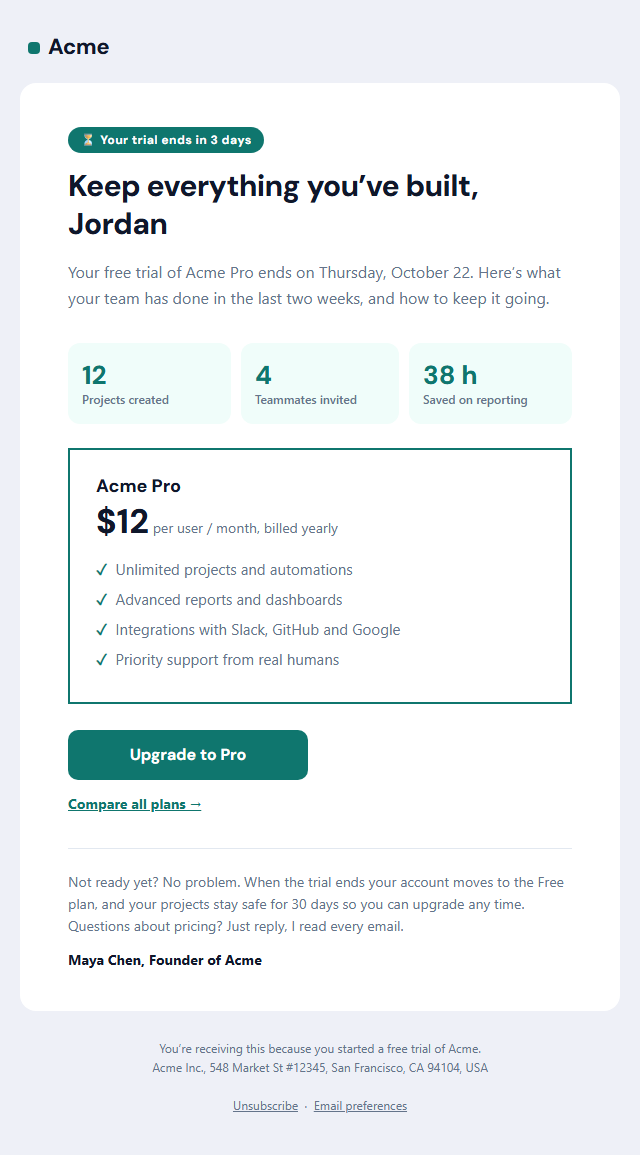
Trial Ending Email
Responsive · Dark mode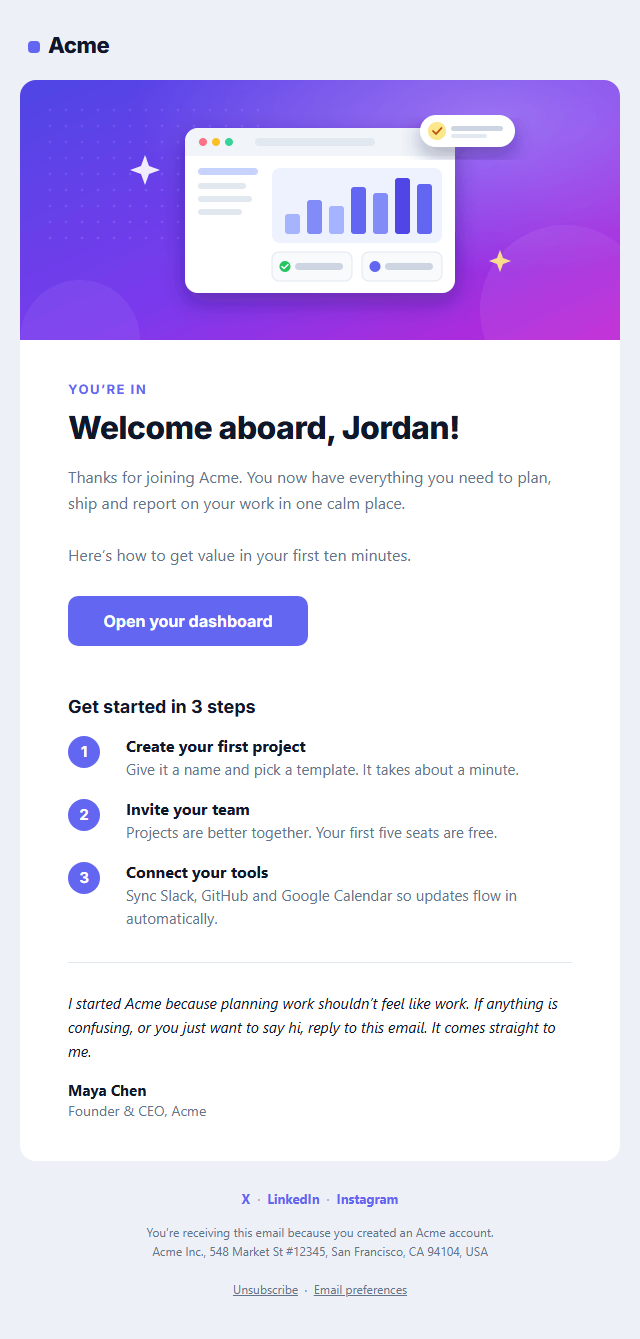
Welcome Email
Responsive · Dark modeOnboarding & Lifecycle Email Templates
8 templates · Gmail, Outlook & Apple Mail · Dark mode · Copy HTML
About these templates
Onboarding & Lifecycle Email Templates
Lifecycle emails follow a customer from the day they sign up to the day they become a fan, and they quietly earn more than most campaigns because each one arrives at exactly the right moment. A welcome email is the most-opened message you will ever send, a trial-ending reminder is where engaged users decide to pay, a birthday email gives loyal customers a reason to come back, a re-engagement email wins back people who drifted away, and an NPS survey tells you how all of it is working.
This category covers that whole journey: the Welcome Email, Trial Ending, Re-engagement (We Miss You), Birthday Email and NPS Survey and Subscription Cancellation templates, plus the Getting Started Checklist that shows each new user their setup progress and next step, and the Team Invitation that turns one sign-up into a whole team. Every one is built with tables and inline styles, so it holds up in Gmail, Outlook and Apple Mail, ships with a dark palette and a plain-text version, and converts first names and unsubscribe links for Mailchimp, Klaviyo, HubSpot or Brevo. Trigger them from Customer.io, Intercom, Loops, Klaviyo or your own code.
Plan these as a sequence, not as one-off sends. A common pattern is a welcome email straight after sign-up, a short tip a day or two later, a reminder before a trial ends, and a win-back message for people who go quiet. Give every email one job and one button, keep the subject line honest about what is inside, and let the next email pick up where the last one stopped. Each template shows a live preview on desktop, mobile and in dark mode, so you can check the whole journey before it goes live.
Welcome Email: A responsive SaaS welcome email: logo header, hero image, headline, intro, an Outlook-safe call-to-action button, three numbered getting-started steps, a personal note from the founder, social links and a CAN-SPAM-ready footer, with dark mode built in.
Getting Started Checklist Email: The onboarding email that sits between the welcome and the trial-ending reminder: a "2 of 5 done" progress bar, finished steps ticked and greyed out, the next step highlighted in a card with its own button, the remaining steps with how long each takes, and a short tip from a real person on the team.
Team Invitation Email: A workspace invite for SaaS and B2B tools that answers "who sent this and is it safe?": the inviter’s initials and name, an optional personal message, a workspace card with its initials tile, your role and a row of teammate avatars with "+N more", an "Accept invitation" button, when the link expires and what to do if you weren’t expecting it.
Trial Ending Email: A SaaS trial-expiry reminder that converts: a "your trial ends in 3 days" label, a headline about keeping what they built, three usage stats from the trial, a plan card with price, period and four key features, an upgrade button, a compare-plans link and a reassuring note about what happens to their data.
Re-engagement Email (We Miss You): A win-back email for inactive customers and subscribers: a "We miss you" headline, three things that are new since their last visit, an optional comeback discount, one clear button, and an honest "stay or go" choice that keeps your list healthy.
Birthday Email: A festive birthday email for customers and members: a confetti-and-cake hero, a personal "Happy birthday" headline with their first name, a short warm message, a gift box with a discount code and expiry, a "Claim your gift" button, a signed note and social links.
NPS Survey Email: A one-question Net Promoter Score (NPS) survey email: "How likely are you to recommend us to a friend?" with a row of eleven clickable 0–10 scores that each open your survey with the score filled in, "not likely" and "very likely" labels, a time estimate, a link for longer feedback and a thank-you note.
Subscription Cancellation Email: A graceful "sorry to see you go" email that confirms a cancellation: the plan, the date access ends and what happens to their data, a "Reactivate" button, an optional pause or comeback offer, a one-click "why did you leave?" exit question and a warm sign-off.
Real-world uses
Best Uses for Onboarding & Lifecycle Email Templates
How it’s different
How These Email Templates Are Different
Step by step
How to Use
- 1Pick a templateOpen one of the onboarding & lifecycle templates above. Your edits are saved in your browser as you go.
- 2Write the emailFill in the sender name, subject, preheader and content, or click any text in the preview to jump to its field. Switch sections on or off.
- 3Add your brandUpload or paste your logo and images, set the brand colour and the light and dark palettes, choose fonts, or apply your saved brand kit.
- 4Preview and checkSwitch between desktop, mobile and dark mode, and fix anything the pre-send checks flag.
- 5ExportCopy the HTML into your email service, download a ZIP with images, copy the plain-text version, or fork it into My Code.
Got questions?
Frequently Asked Questions
Automated emails triggered by where a customer is in their relationship with you: welcome and onboarding emails after sign-up, trial and upgrade reminders, birthday and loyalty emails, win-back emails for inactive customers, and feedback surveys. They usually perform better than one-off campaigns because they are timely and relevant.
When someone has stopped engaging for longer than your normal buying or usage cycle, for example 60 days without a login for SaaS or 90 to 180 days without a purchase for a store. Send two or three emails, then remove people who do not respond to protect your deliverability.
Most are marketing, since they promote your product, so they should include an unsubscribe link and your postal address. Pure account messages, such as verifying an email address, are transactional; use the Verify Email template for those.
Three to five emails over the first one to two weeks is a good starting point: a welcome, a how-to-get-started message, a proof or tips message and a gentle nudge. Give each one a single goal and stop the series as soon as the person takes the action you want.
Yes. Choose Mailchimp, Klaviyo, HubSpot or Brevo under Merge tags and first names, emails and the unsubscribe link are written in that platform's syntax. Add a fallback in your platform for people without a name, so the greeting never reads "Hi ,".
Welcome Email: A responsive SaaS welcome email: logo header, hero image, headline, intro, an Outlook-safe call-to-action button, three numbered getting-started steps, a personal note from the founder, social links and a CAN-SPAM-ready footer, with dark mode built in. Getting Started Checklist Email: The onboarding email that sits between the welcome and the trial-ending reminder: a "2 of 5 done" progress bar, finished steps ticked and greyed out, the next step highlighted in a card with its own button, the remaining steps with how long each takes, and a short tip from a real person on the team. Team Invitation Email: A workspace invite for SaaS and B2B tools that answers "who sent this and is it safe?": the inviter’s initials and name, an optional personal message, a workspace card with its initials tile, your role and a row of teammate avatars with "+N more", an "Accept invitation" button, when the link expires and what to do if you weren’t expecting it. Trial Ending Email: A SaaS trial-expiry reminder that converts: a "your trial ends in 3 days" label, a headline about keeping what they built, three usage stats from the trial, a plan card with price, period and four key features, an upgrade button, a compare-plans link and a reassuring note about what happens to their data. Re-engagement Email (We Miss You): A win-back email for inactive customers and subscribers: a "We miss you" headline, three things that are new since their last visit, an optional comeback discount, one clear button, and an honest "stay or go" choice that keeps your list healthy. Birthday Email: A festive birthday email for customers and members: a confetti-and-cake hero, a personal "Happy birthday" headline with their first name, a short warm message, a gift box with a discount code and expiry, a "Claim your gift" button, a signed note and social links. NPS Survey Email: A one-question Net Promoter Score (NPS) survey email: "How likely are you to recommend us to a friend?" with a row of eleven clickable 0–10 scores that each open your survey with the score filled in, "not likely" and "very likely" labels, a time estimate, a link for longer feedback and a thank-you note. Subscription Cancellation Email: A graceful "sorry to see you go" email that confirms a cancellation: the plan, the date access ends and what happens to their data, a "Reactivate" button, an optional pause or comeback offer, a one-click "why did you leave?" exit question and a warm sign-off.
Yes. They use nested tables, inline styles, a 600 px container with Outlook conditional comments, a VML "bulletproof" button for Outlook on Windows, and an Arial override so Outlook doesn't fall back to Times New Roman. Each includes a dark palette and a plain-text version.
Yes, for most of them. Templates without a badge are free for personal and commercial email, with no account and no watermark. Templates with a Patreon badge can be previewed and edited by anyone; exporting them needs the supporter passcode. Everything runs in your browser.