Transactional Email Templates
12 free transactional email templates. Account, billing and booking emails people wait for: verification, one-time codes, password reset, magic links, security alerts, receipts, failed payments, booking confirmations and contact-form replies. Responsive, Outlook-safe and dark mode ready: edit in your browser, then copy the HTML, download a ZIP or fork it into My Code.
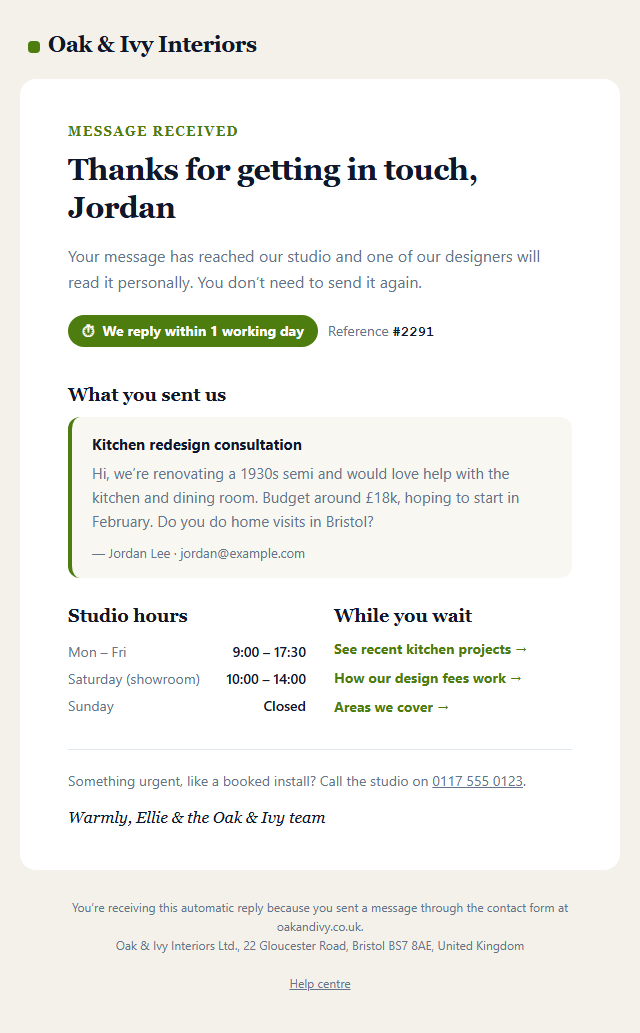
Contact Form Auto-Reply Email
Responsive · Dark mode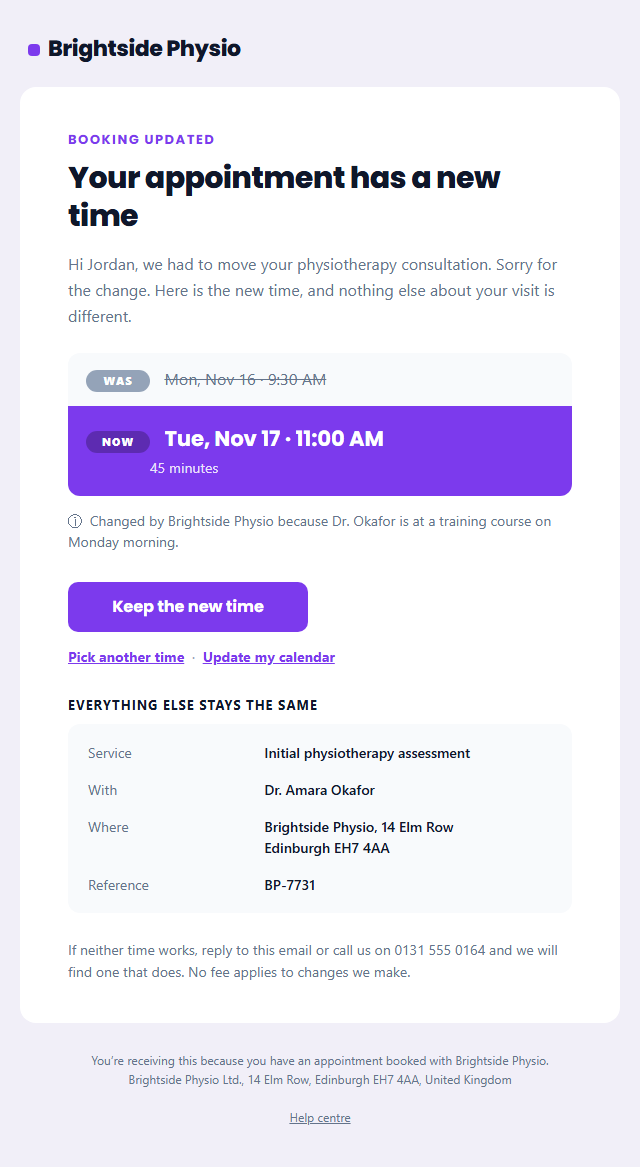
Booking Rescheduled Email
Responsive · Dark mode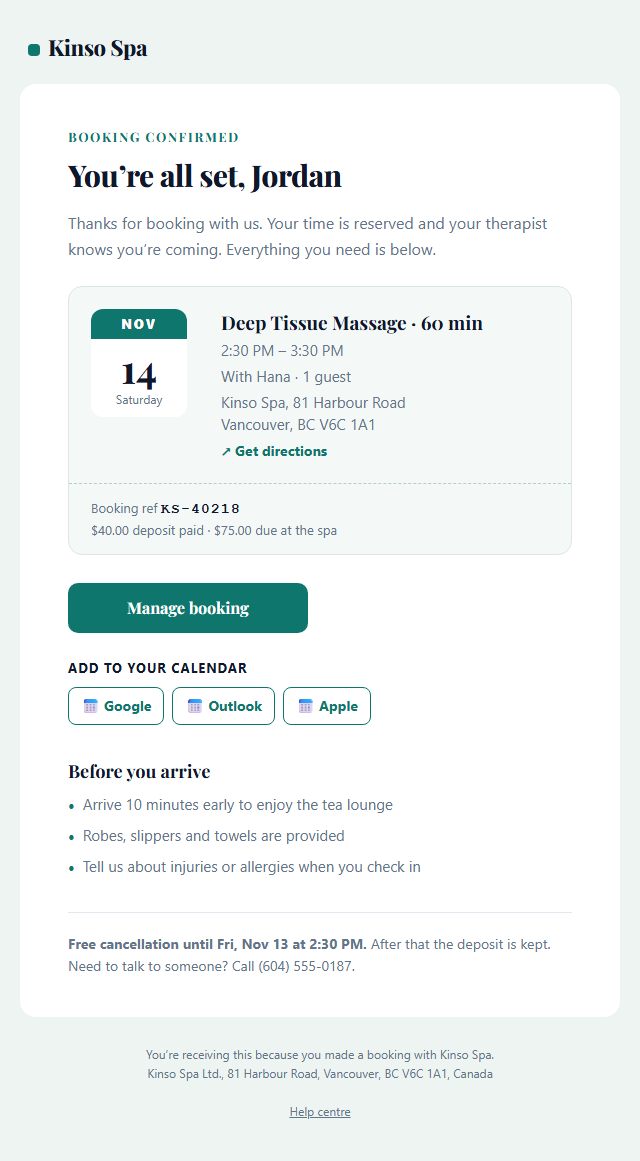
Booking Confirmation Email
Responsive · Dark mode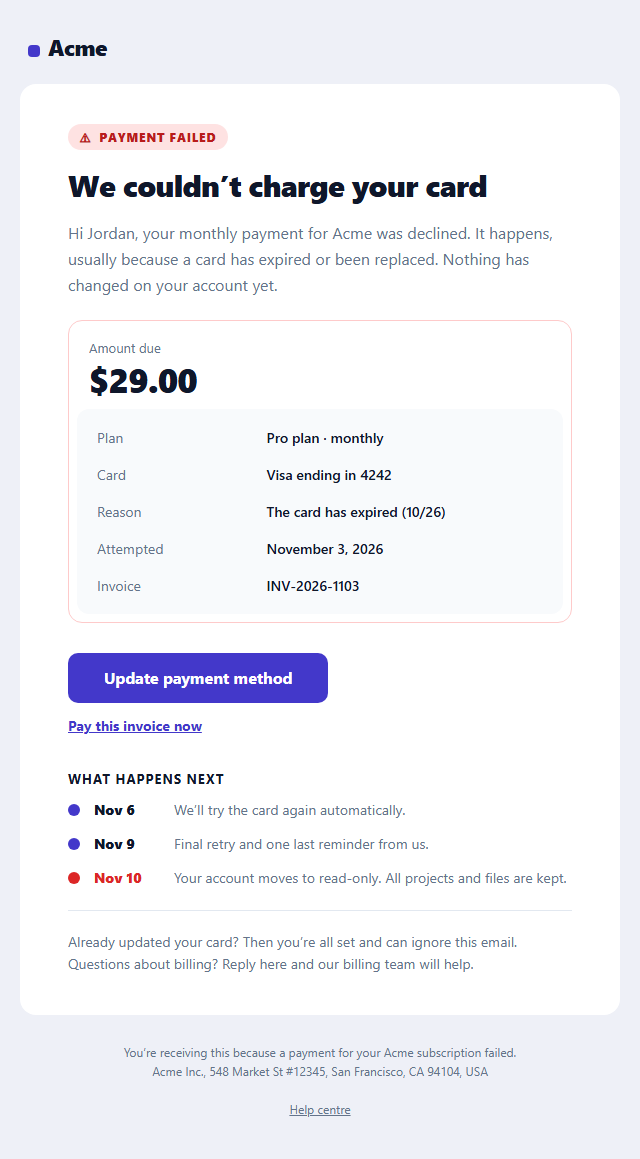
Failed Payment Email
Responsive · Dark mode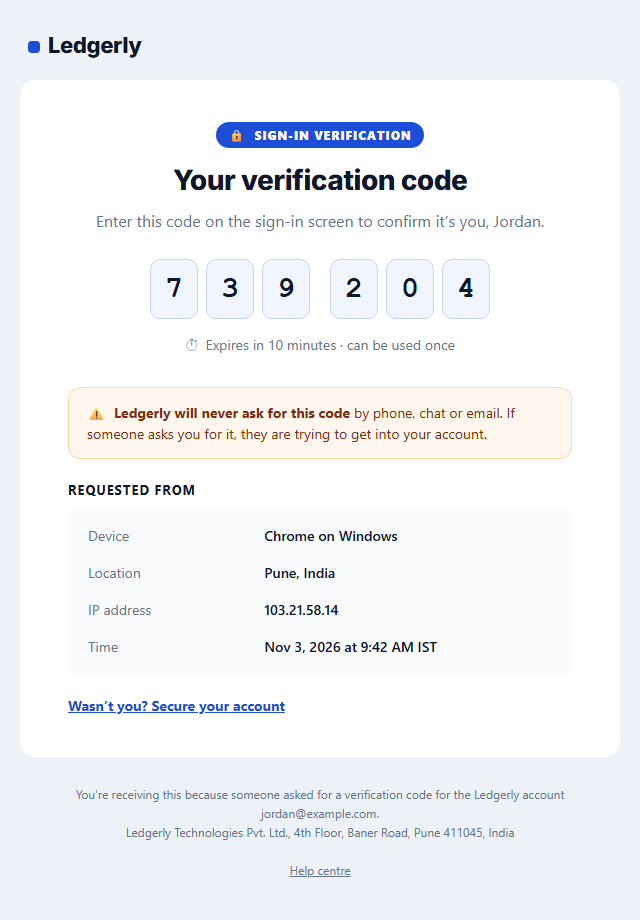
One-Time Passcode (2FA) Email
Responsive · Dark mode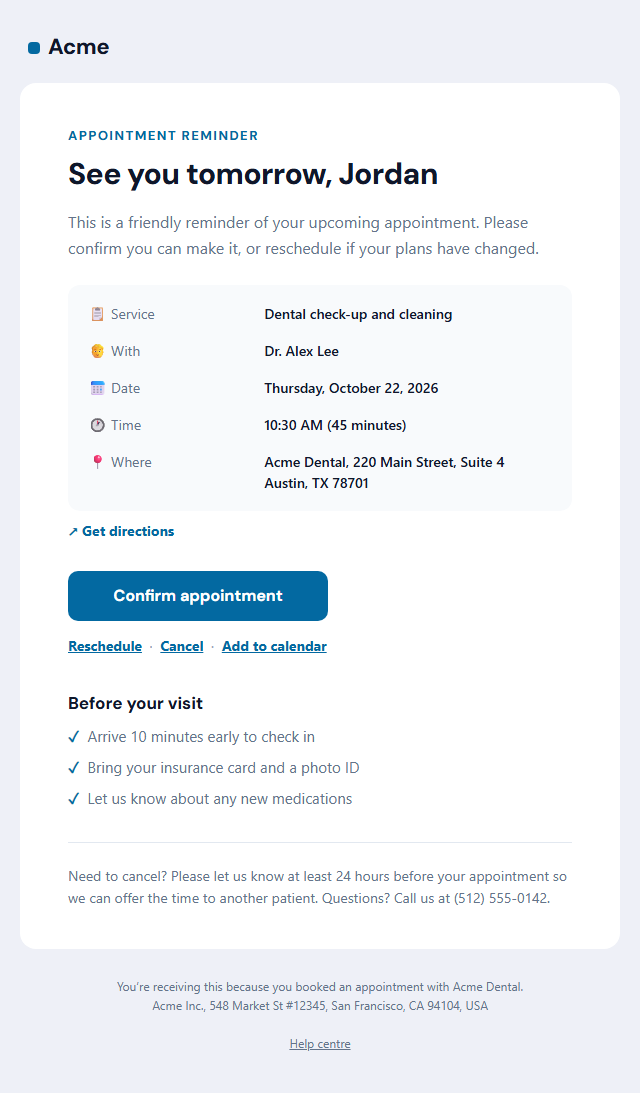
Appointment Reminder Email
Responsive · Dark mode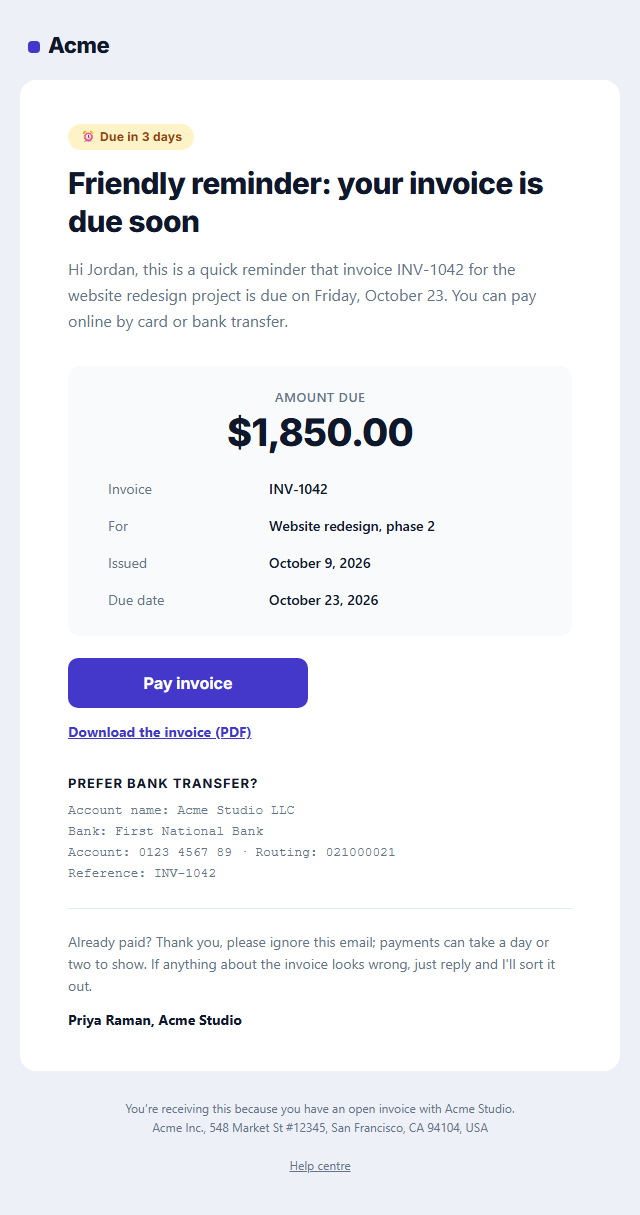
Payment Reminder Email
Responsive · Dark mode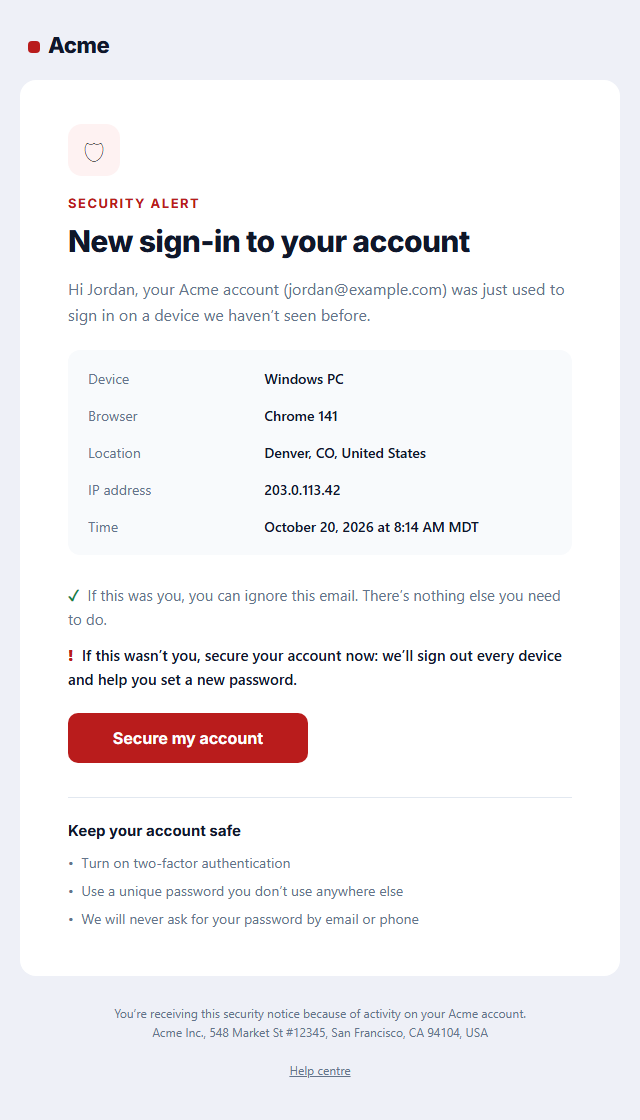
New Sign-in Security Alert
Responsive · Dark mode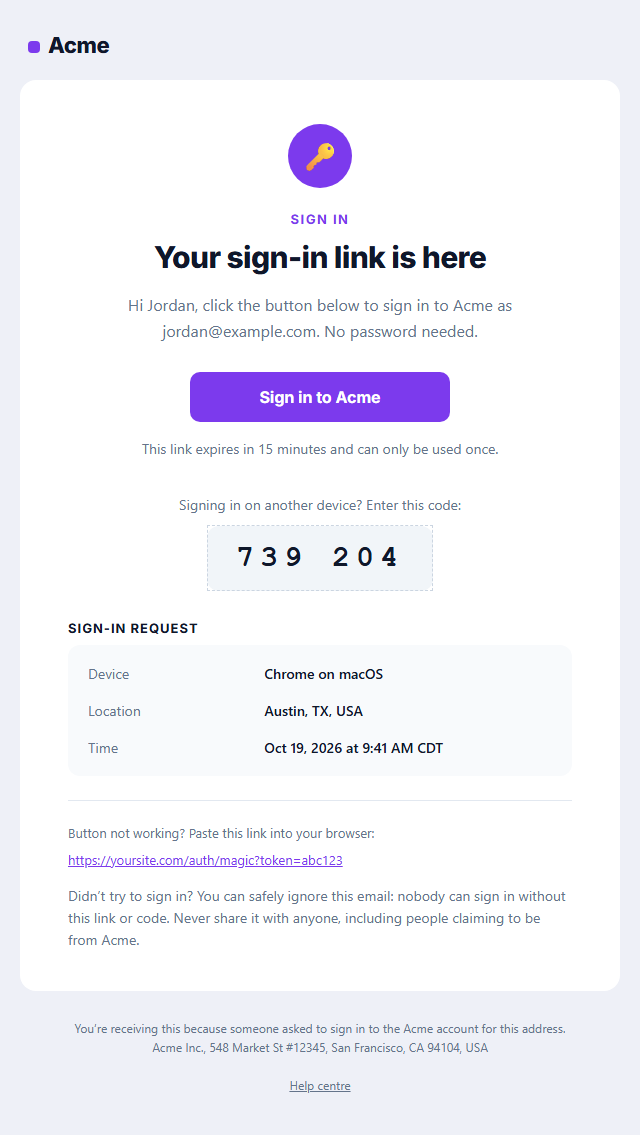
Magic Link Sign-in Email
Responsive · Dark mode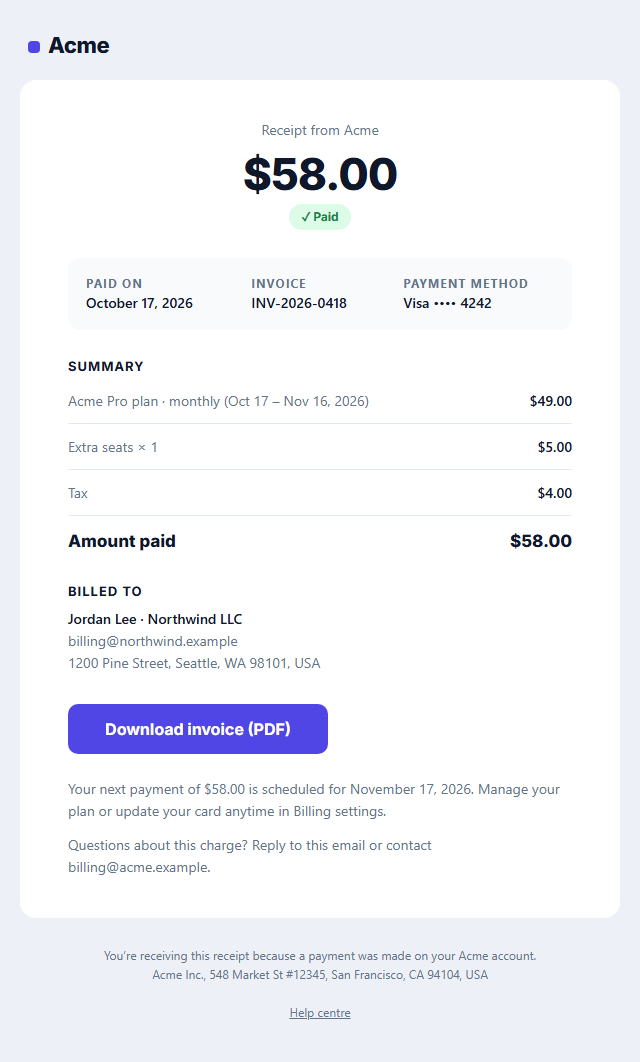
Payment Receipt Email
Responsive · Dark modeTransactional Email Templates
12 templates · Gmail, Outlook & Apple Mail · Dark mode · Copy HTML
About these templates
Transactional Email Templates
Transactional emails are the ones people actually wait for: the link to confirm an account, the code to sign in, the link to reset a password and the receipt for a payment. They are triggered by something the user just did, they are opened almost every time, and when they look broken or suspicious people lose trust in your product.
These templates cover the core account and billing flows, Verify Email Address, Password Reset, Magic Link Sign-in, New Sign-in Security Alert, Payment Receipt, Payment Reminder for unpaid invoices, Failed Payment for declined subscription charges and One-Time Passcode (2FA) for sign-in and payment codes, with a shared, consistent look. For bookings there is a Booking Confirmation with add-to-calendar links, an Appointment Reminder and a Booking Rescheduled notice, and every website with a form needs the Contact Form Auto-Reply. Each one keeps marketing out, puts the important detail (the button, the code, the amount) first, prints a fallback link for clients that block buttons, and includes request details that help people trust the email. Send them from Postmark, SendGrid, Amazon SES, Resend, Stripe, Auth0, Supabase, Firebase or your own code. Store emails such as order confirmations and shipping updates are in E-commerce Email Templates.
A transactional email is judged by whether the customer can act on it in seconds: the code is easy to copy, the button is big enough to tap and the next step is obvious. Keep the layout plain, put the one important thing first and keep the rest in short lines. Mention the account or order it relates to and a way to reach support, because people open these emails when something matters to them. Send them from a dedicated address and domain set up for authentication, so they reach the inbox quickly.
Verify Email Address: A sign-up confirmation email with an envelope badge, a "Confirm your email" headline, an Outlook-safe verify button, an optional one-time code in a large monospace box, an expiry note and a fallback link.
One-Time Passcode (2FA) Email: A one-time passcode email for two-factor sign-in, payment approval or account changes: the purpose in the subject and first line, each digit of the code in its own large box so it is easy to read and type, a 10-minute expiry, a never-share warning, the device, location and time of the request, and a "wasn’t you?" link to secure the account. No button and no links to click for the code itself.
Password Reset Email: A clear, secure password reset email: lock badge, headline, the account it is for, an Outlook-safe reset button, link expiry, a copyable fallback link, optional request details (device, location, time) and a reassuring "didn’t request this?" note.
Magic Link Sign-in Email: A passwordless sign-in email: a key badge, a "Sign in to Acme" button that logs the user in with one click, an optional one-time login code for signing in on another device, a short expiry, optional request details (device, location, time), a fallback link and a security note.
New Sign-in Security Alert: A login alert for apps and SaaS: a shield badge, "New sign-in to your account", the device, browser, approximate location, IP address and time in a details box, a calm "if this was you, no action needed" line, a "Secure my account" button and short security tips.
Payment Receipt Email: A payment receipt for subscriptions and one-off charges: a large amount-paid header, date and invoice number, the card used, itemised lines with tax and total, billing details, a "Download invoice" button and a billing-support line.
Payment Reminder Email: A polite invoice payment reminder for freelancers, agencies and SaaS billing: a status pill (due soon or overdue), the amount due in large type, invoice number, issue and due dates, a "Pay invoice" button, a link to the PDF, optional bank-transfer details and an "already paid?" note.
Failed Payment Email: A calm dunning email for a declined subscription charge: a "Payment didn’t go through" status pill, the amount, plan and card that failed, the plain-English reason (expired card, insufficient funds), a three-point timeline of the automatic retry and the date the account would pause, an "Update payment method" button and a reassurance that nothing is lost yet.
Booking Confirmation Email: A booking confirmation sent the moment someone books: a calendar-style date tile beside the service, time, guests and location, the booking reference and deposit paid, add-to-calendar links for Google, Outlook and Apple (.ics), a "Manage booking" button, a what-to-bring list and the free-cancellation deadline.
Appointment Reminder Email: An appointment reminder that cuts no-shows for clinics, salons, consultants and service businesses: the service, provider, date, time, length and address in a details box, a "Confirm appointment" button with reschedule and cancel links, an add-to-calendar link, a short "before your visit" checklist and the cancellation policy.
Booking Rescheduled Email: A booking change notice that is impossible to misread: the old date and time struck through above the new one in a highlighted card, who moved it and why, what stays the same (service, provider, location), a "Keep the new time" button, a "Pick another time" link and an updated calendar link.
Contact Form Auto-Reply Email: The automatic "we got your message" reply every small business website needs: a reply-time promise in a badge, a copy of what the visitor sent (name, topic and message) so they know it arrived intact, a reference number, opening hours, three links to answers they may need while they wait, and a phone line for anything urgent.
Real-world uses
Best Uses for Transactional Email Templates
How it’s different
How These Email Templates Are Different
Step by step
How to Use
- 1Pick a templateOpen one of the transactional templates above. Your edits are saved in your browser as you go.
- 2Write the emailFill in the sender name, subject, preheader and content, or click any text in the preview to jump to its field. Switch sections on or off.
- 3Add your brandUpload or paste your logo and images, set the brand colour and the light and dark palettes, choose fonts, or apply your saved brand kit.
- 4Preview and checkSwitch between desktop, mobile and dark mode, and fix anything the pre-send checks flag.
- 5ExportCopy the HTML into your email service, download a ZIP with images, copy the plain-text version, or fork it into My Code.
Got questions?
Frequently Asked Questions
An email sent in direct response to something a user did or to their account: password resets, verification codes, sign-in links, receipts and security alerts. Promotional emails, such as newsletters and sales, are marketing email.
No. Under US CAN-SPAM, emails whose main purpose is transactional don't need an unsubscribe link. They should still identify the sender, and adding marketing content can turn them into commercial email, so keep promotions out.
Use a provider built for it, such as Postmark, Amazon SES, SendGrid, Mailgun or Resend, ideally on a separate sending domain or stream from your marketing email. Copy the HTML and the plain-text version from the editor into your provider's template.
Use the desktop, mobile and dark-mode previews in the editor and fix anything the pre-send checks flag, such as placeholder links or missing alt text. Then send a real test through your provider to Gmail, Outlook and Apple Mail accounts and confirm the links and code work.
Keep it focused on the transaction. A short, relevant line such as a link to help content is fine, but mixing in promotions can change how some providers and laws classify the message, so check your provider's rules before adding offers.
Verify Email Address: A sign-up confirmation email with an envelope badge, a "Confirm your email" headline, an Outlook-safe verify button, an optional one-time code in a large monospace box, an expiry note and a fallback link. One-Time Passcode (2FA) Email: A one-time passcode email for two-factor sign-in, payment approval or account changes: the purpose in the subject and first line, each digit of the code in its own large box so it is easy to read and type, a 10-minute expiry, a never-share warning, the device, location and time of the request, and a "wasn’t you?" link to secure the account. No button and no links to click for the code itself. Password Reset Email: A clear, secure password reset email: lock badge, headline, the account it is for, an Outlook-safe reset button, link expiry, a copyable fallback link, optional request details (device, location, time) and a reassuring "didn’t request this?" note. Magic Link Sign-in Email: A passwordless sign-in email: a key badge, a "Sign in to Acme" button that logs the user in with one click, an optional one-time login code for signing in on another device, a short expiry, optional request details (device, location, time), a fallback link and a security note. New Sign-in Security Alert: A login alert for apps and SaaS: a shield badge, "New sign-in to your account", the device, browser, approximate location, IP address and time in a details box, a calm "if this was you, no action needed" line, a "Secure my account" button and short security tips. Payment Receipt Email: A payment receipt for subscriptions and one-off charges: a large amount-paid header, date and invoice number, the card used, itemised lines with tax and total, billing details, a "Download invoice" button and a billing-support line. Payment Reminder Email: A polite invoice payment reminder for freelancers, agencies and SaaS billing: a status pill (due soon or overdue), the amount due in large type, invoice number, issue and due dates, a "Pay invoice" button, a link to the PDF, optional bank-transfer details and an "already paid?" note. Failed Payment Email: A calm dunning email for a declined subscription charge: a "Payment didn’t go through" status pill, the amount, plan and card that failed, the plain-English reason (expired card, insufficient funds), a three-point timeline of the automatic retry and the date the account would pause, an "Update payment method" button and a reassurance that nothing is lost yet. Booking Confirmation Email: A booking confirmation sent the moment someone books: a calendar-style date tile beside the service, time, guests and location, the booking reference and deposit paid, add-to-calendar links for Google, Outlook and Apple (.ics), a "Manage booking" button, a what-to-bring list and the free-cancellation deadline. Appointment Reminder Email: An appointment reminder that cuts no-shows for clinics, salons, consultants and service businesses: the service, provider, date, time, length and address in a details box, a "Confirm appointment" button with reschedule and cancel links, an add-to-calendar link, a short "before your visit" checklist and the cancellation policy. Booking Rescheduled Email: A booking change notice that is impossible to misread: the old date and time struck through above the new one in a highlighted card, who moved it and why, what stays the same (service, provider, location), a "Keep the new time" button, a "Pick another time" link and an updated calendar link. Contact Form Auto-Reply Email: The automatic "we got your message" reply every small business website needs: a reply-time promise in a badge, a copy of what the visitor sent (name, topic and message) so they know it arrived intact, a reference number, opening hours, three links to answers they may need while they wait, and a phone line for anything urgent.
Yes. They use nested tables, inline styles, a 600 px container with Outlook conditional comments, a VML "bulletproof" button for Outlook on Windows, and an Arial override so Outlook doesn't fall back to Times New Roman. Each includes a dark palette and a plain-text version.
Yes, for most of them. Templates without a badge are free for personal and commercial email, with no account and no watermark. Templates with a Patreon badge can be previewed and edited by anyone; exporting them needs the supporter passcode. Everything runs in your browser.