E-commerce Email Templates
4 free e-commerce email templates. Store emails from cart to doorstep: abandoned cart, order confirmation, shipping updates and review requests. Responsive, Outlook-safe and dark mode ready: edit in your browser, then copy the HTML, download a ZIP or fork it into My Code.

E-commerce Email Templates
4 templates · Gmail, Outlook & Apple Mail · Dark mode · Copy HTML
About these templates
E-commerce Email Templates
An online store's automated emails follow the customer from cart to doorstep, and together they earn a large share of email revenue. The abandoned cart email wins back shoppers who left, the order confirmation reassures them the moment they pay, the shipping confirmation answers "where is my order?" before they ask, and the review request turns happy customers into social proof for the next buyer.
These templates cover that whole journey with one consistent look: Abandoned Cart, Order Confirmation, Shipping Confirmation and Review Request. Product rows, prices, a delivery progress bar and clickable star ratings are all built with tables and inline styles, so they line up in Gmail, Apple Mail and Outlook on Windows. Copy the HTML into Shopify notifications, Shopify Email, Klaviyo, Omnisend, WooCommerce or Mailchimp and swap the sample values for your platform's variables.
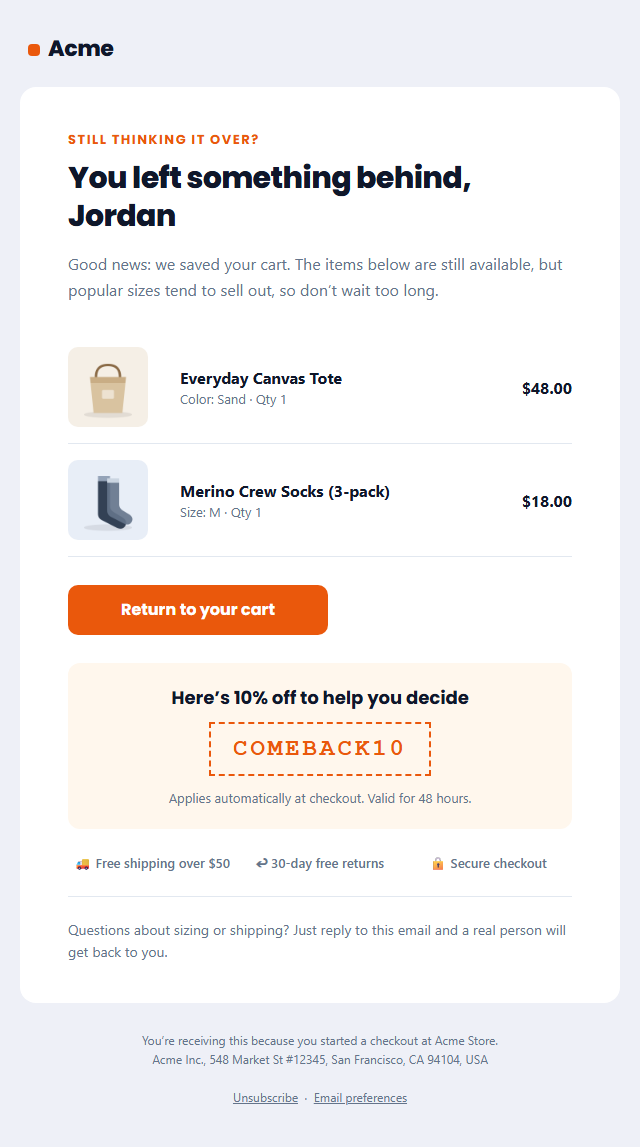
Abandoned Cart Email: A cart recovery email for online stores: a friendly "you left something behind" headline, up to three cart items with photos and prices, a bold return-to-cart button, an optional discount code, free-shipping and returns reassurance and a help line.
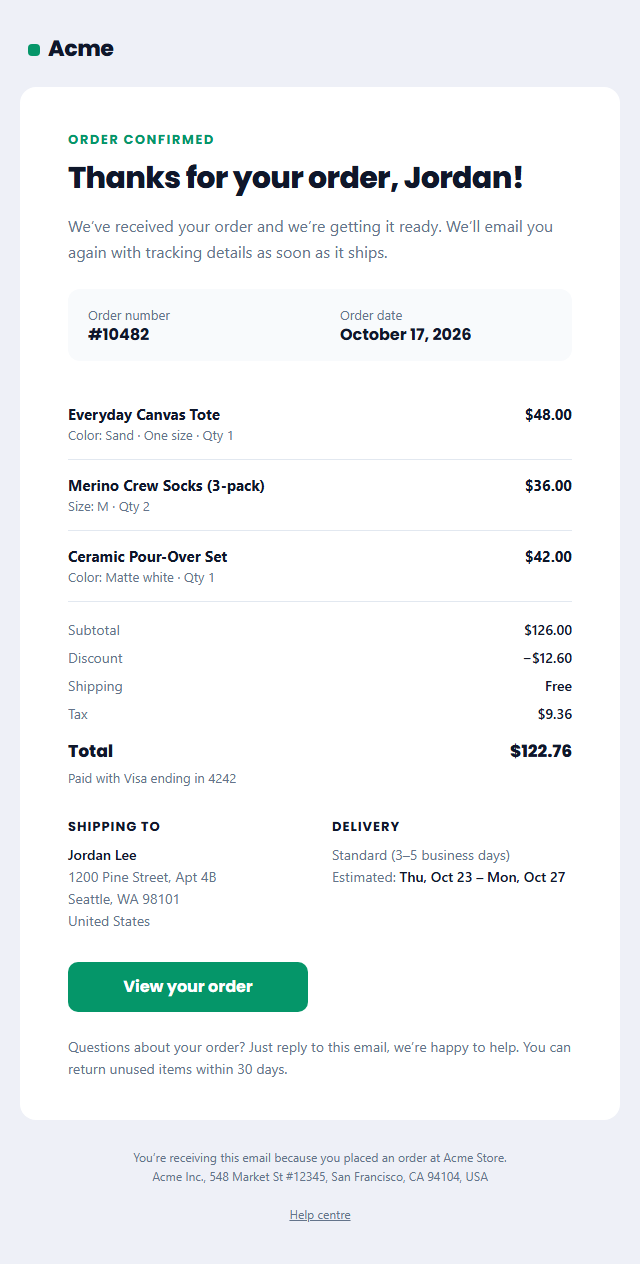
Order Confirmation Email: An ecommerce order confirmation email: a thank-you headline, order number and date, up to three line items with quantity and price, subtotal, shipping, tax and total, the shipping address, an estimated delivery date and an Outlook-safe "View order" button.
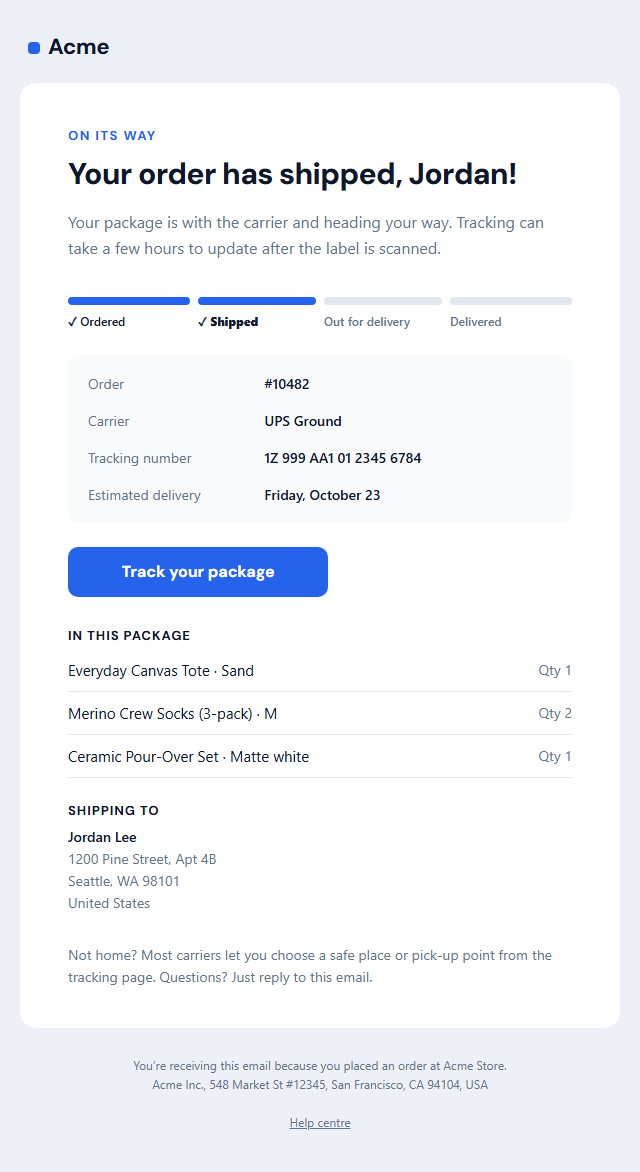
Shipping Confirmation Email: An "your order has shipped" email for online stores: a four-step delivery progress bar (ordered, shipped, out for delivery, delivered), carrier, tracking number and estimated delivery, a "Track your package" button, the items in the parcel and the shipping address.
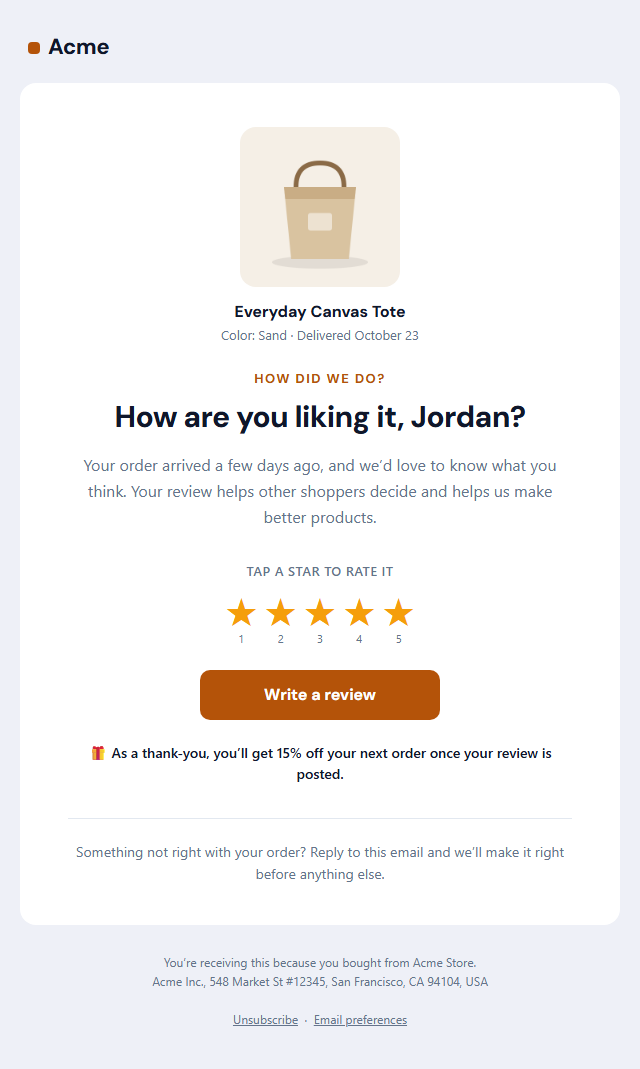
Review Request Email: A post-purchase review request: the product photo and name, a friendly "how are you liking it?" headline, a row of five clickable stars that each open your review page with that rating, a "Write a review" button, an optional thank-you discount and a note on how reviews help.
Real-world uses
Best Uses for E-commerce Email Templates
How it’s different
How These Email Templates Are Different
Step by step
How to Use
- 1Pick a templateOpen one of the e-commerce templates above. Your edits are saved in your browser as you go.
- 2Write the emailFill in the sender name, subject, preheader and content, or click any text in the preview to jump to its field. Switch sections on or off.
- 3Add your brandUpload or paste your logo and images, set the brand colour and the light and dark palettes, choose fonts, or apply your saved brand kit.
- 4Preview and checkSwitch between desktop, mobile and dark mode, and fix anything the pre-send checks flag.
- 5ExportCopy the HTML into your email service, download a ZIP with images, copy the plain-text version, or fork it into My Code.
Got questions?
Frequently Asked Questions
At minimum: an order confirmation, a shipping confirmation and an abandoned cart reminder. A review request after delivery and a welcome email for new subscribers are the next most valuable. Together they cover the full purchase journey.
For order and shipping emails, go to Settings, then Notifications in Shopify admin, open the notification, replace the code with this HTML and swap the sample values for Shopify's Liquid variables. For abandoned cart and review emails, use Shopify Email, Klaviyo or another app with custom HTML.
Order and shipping confirmations are transactional and don't need one. Abandoned cart and review request emails promote a purchase or your store, so they are treated as marketing and include an unsubscribe link and postal address.
Abandoned Cart Email: A cart recovery email for online stores: a friendly "you left something behind" headline, up to three cart items with photos and prices, a bold return-to-cart button, an optional discount code, free-shipping and returns reassurance and a help line. Order Confirmation Email: An ecommerce order confirmation email: a thank-you headline, order number and date, up to three line items with quantity and price, subtotal, shipping, tax and total, the shipping address, an estimated delivery date and an Outlook-safe "View order" button. Shipping Confirmation Email: An "your order has shipped" email for online stores: a four-step delivery progress bar (ordered, shipped, out for delivery, delivered), carrier, tracking number and estimated delivery, a "Track your package" button, the items in the parcel and the shipping address. Review Request Email: A post-purchase review request: the product photo and name, a friendly "how are you liking it?" headline, a row of five clickable stars that each open your review page with that rating, a "Write a review" button, an optional thank-you discount and a note on how reviews help.
Yes. They use nested tables, inline styles, a 600 px container with Outlook conditional comments, a VML "bulletproof" button for Outlook on Windows, and an Arial override so Outlook doesn't fall back to Times New Roman. Each includes a dark palette and a plain-text version.
Yes. Every template is free for personal and commercial email, with no account and no watermark. Everything runs in your browser and your edits are saved locally.