Holiday & Seasonal Email Templates
2 free holidays & seasonal email templates. Holiday gift guides and season’s greetings for Christmas, the holidays and the New Year. Responsive, Outlook-safe and dark mode ready: edit in your browser, then copy the HTML, download a ZIP or fork it into My Code.
Holiday & Seasonal Email Templates
2 templates · Gmail, Outlook & Apple Mail · Dark mode · Copy HTML
About these templates
Holiday & Seasonal Email Templates
The holiday season is the busiest time of the year for email: shoppers look for gift ideas, brands thank their customers, and everyone needs to know shipping cut-offs and holiday hours. Seasonal emails work best when they feel festive but stay clear, with the important dates and the main button easy to find on a phone.
Use the Holiday Gift Guide to show your best gifts in a 2×2 product grid with tags such as "Under $25" and an "order by" shipping banner, and the Holiday Greetings email to send a warm season's greetings or happy new year message with an optional thank-you offer and your holiday opening hours. Both work for Christmas, Hanukkah, the New Year and other celebrations by changing the image, colours and words. For sales, see the Black Friday and Last Chance templates.
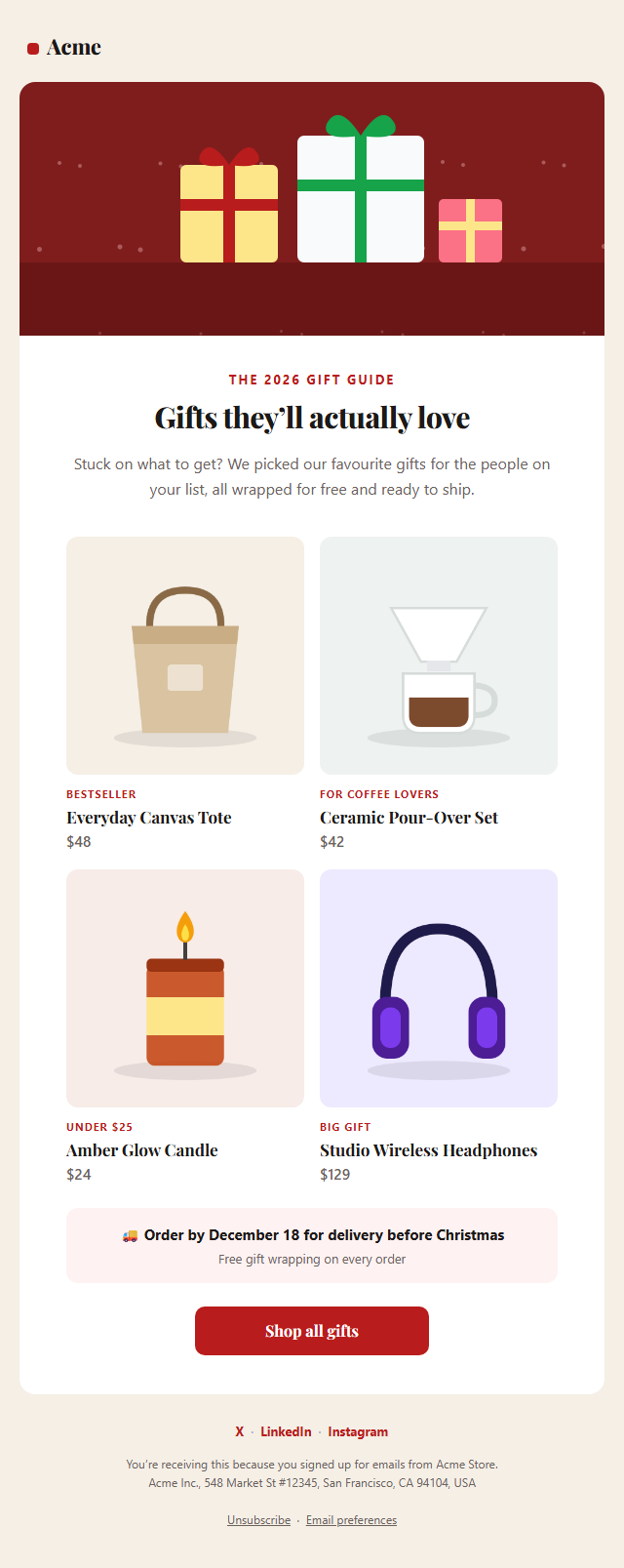
Holiday Gift Guide Email: A festive gift guide email for Christmas and the holiday season: a hero image, a warm headline, a 2×2 grid of gifts with photos, prices and "under $50" style tags, an order-by shipping cut-off banner, a shop-all button and social links.
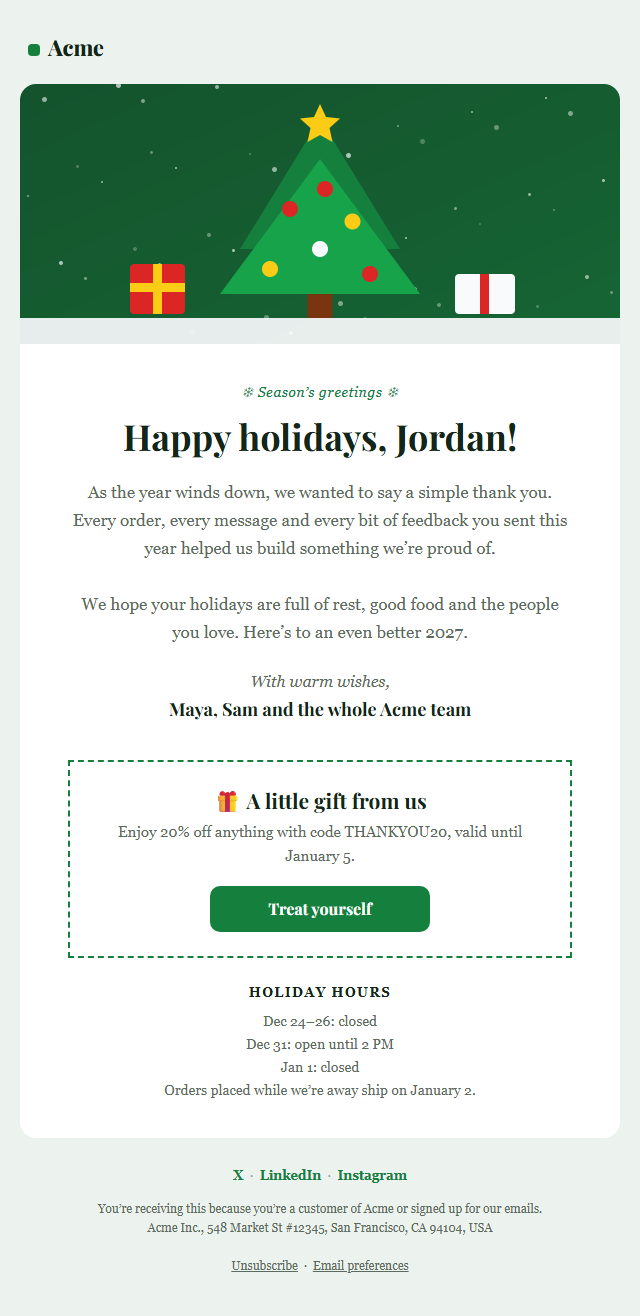
Holiday Greetings Email: A warm season’s greetings email for Christmas, the holidays and the New Year: a festive hero image, a heartfelt message to customers, a signed note from the team, an optional thank-you discount with a button, holiday opening hours and social links.
Real-world uses
Best Uses for Holidays & Seasonal Email Templates
How it’s different
How These Email Templates Are Different
Step by step
How to Use
- 1Pick a templateOpen one of the holidays & seasonal templates above. Your edits are saved in your browser as you go.
- 2Write the emailFill in the sender name, subject, preheader and content, or click any text in the preview to jump to its field. Switch sections on or off.
- 3Add your brandUpload or paste your logo and images, set the brand colour and the light and dark palettes, choose fonts, or apply your saved brand kit.
- 4Preview and checkSwitch between desktop, mobile and dark mode, and fix anything the pre-send checks flag.
- 5ExportCopy the HTML into your email service, download a ZIP with images, copy the plain-text version, or fork it into My Code.
Got questions?
Frequently Asked Questions
Gift guides work from mid-November, around Black Friday (November 27), through early December. Send shipping cut-off reminders in the second and third weeks of December, and season's greetings one to two weeks before Christmas or around New Year.
Yes. Change the hero image, colours, label and wording for Hanukkah, Diwali, Lunar New Year, Thanksgiving, Valentine's Day or Mother's Day. The layouts work for any seasonal campaign.
Yes, when you send them to a marketing list. Gift guides and greetings promote your brand, so they count as commercial email under US CAN-SPAM. Both templates include an unsubscribe link and a postal address.
Holiday Gift Guide Email: A festive gift guide email for Christmas and the holiday season: a hero image, a warm headline, a 2×2 grid of gifts with photos, prices and "under $50" style tags, an order-by shipping cut-off banner, a shop-all button and social links. Holiday Greetings Email: A warm season’s greetings email for Christmas, the holidays and the New Year: a festive hero image, a heartfelt message to customers, a signed note from the team, an optional thank-you discount with a button, holiday opening hours and social links.
Yes. They use nested tables, inline styles, a 600 px container with Outlook conditional comments, a VML "bulletproof" button for Outlook on Windows, and an Arial override so Outlook doesn't fall back to Times New Roman. Each includes a dark palette and a plain-text version.
Yes. Every template is free for personal and commercial email, with no account and no watermark. Everything runs in your browser and your edits are saved locally.