Click any text to edit it right here · click an image or link to jump to its setting
- Replace the placeholder links: Header link, Button link, Secondary link, Unsubscribe link, Email preferences link.
Trial Ending Email — Free Responsive HTML Email Template
Onboarding & Lifecycle · v1.0.0 · Updated 2026-10-19 · Gmail, Outlook & Apple Mail · Dark mode
What's included
Features
About this template
Trial Ending Email — Free SaaS Trial Expiration & Upgrade Template
Trial Ending Email is a free, responsive HTML template for the most important email in a SaaS trial: the reminder that it's about to end. Sent a few days before expiry, it turns engaged trial users into paying customers by showing what they've already built and making the upgrade one click away.
What's in the email
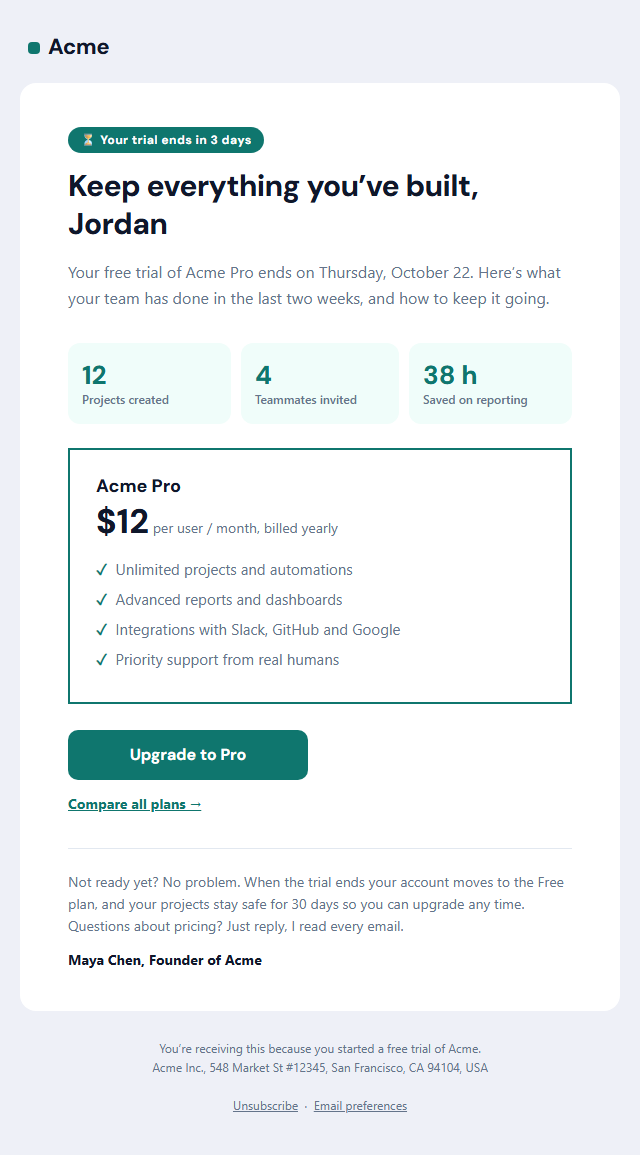
A "Your trial ends in 3 days" pill, a headline about keeping everything they've built, and a short intro with the end date. Three usage stats show the value they've already got (projects created, teammates invited, hours saved), followed by a plan card with the plan name, price, billing period and four key features with check marks. An "Upgrade" button, a "Compare all plans" link and a reassuring note about what happens to their data finish the email, signed by a real person.
Built to convert, coded for inboxes
Personal usage numbers are more persuasive than a generic feature list, and a reassuring "your data is safe" note lowers the pressure that makes people walk away. The stats, plan card and button are built with tables and inline styles, so they hold their shape in Outlook on Windows, Gmail and Apple Mail, and the button goes full width on phones. A dark palette and plain-text version are included.
Part of your lifecycle emails
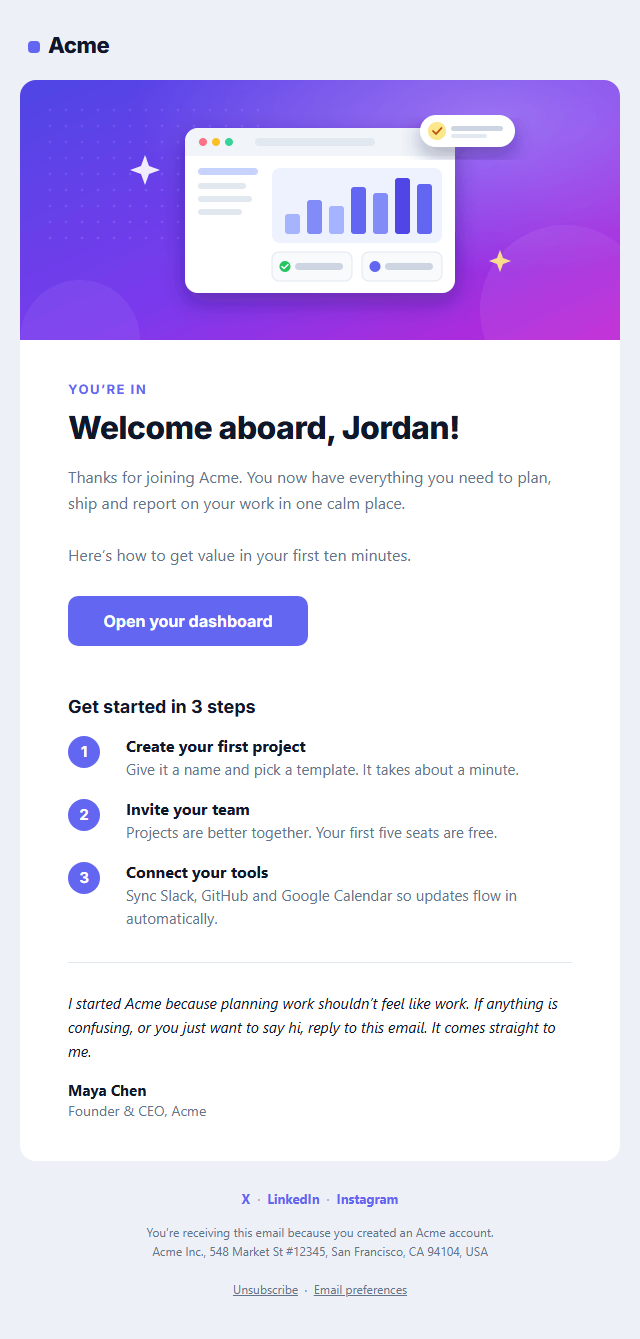
Fill the stats from your product data with merge tags in Customer.io, Intercom, HubSpot, Loops or your own code. It follows the Welcome Email in an onboarding sequence; after upgrade, send a Payment Receipt.
Why use it
Why Use the Trial Ending Email Template
How it’s different
How It’s Different From Other Free Email Templates
Step by step
How to Use
- 1Pick your email platformChoose Mailchimp, Klaviyo, HubSpot or Brevo under Merge tags so first names and unsubscribe links export in its syntax, or keep plain {{first_name}} tokens.
- 2Edit the contentFill in the message & button, usage stats and plan card, or click any text in the preview to jump to its field. Switch the usage stats and plan card on or off.
- 3Add your brandUpload or paste your logo, set the brand colour and the light and dark palettes, pick fonts, or apply your saved brand kit.
- 4Preview and checkSwitch between desktop, mobile and dark mode, and fix anything the pre-send checks flag, such as placeholder links or missing alt text.
- 5Export or forkCopy the HTML into Mailchimp, Klaviyo, HubSpot, Brevo or your own code, copy the plain-text version, download a ZIP with images, or fork it into My Code.
Real-world uses
Common Use Cases
Got questions?
Frequently Asked Questions
Most SaaS teams send one reminder three to seven days before the trial ends and a final one on the last day. If your trial needs a card up front, also tell users when they will be charged.
Replace the sample numbers with your email platform's variables, such as {{ customer.projects_count }} in Customer.io or a property in HubSpot or Intercom. If you send from your own code, insert the values when you build the email.
The end date, what the user has achieved, the plan and price that fits them, one clear upgrade button, and what happens if they don't upgrade. This template includes all of them.
It is usually treated as marketing, because its main purpose is to sell a subscription, so it includes an unsubscribe link. A pure billing notice, such as "your card will be charged on Friday", is transactional.
Yes. The card is a table with a coloured border, and the features are simple paragraphs with check marks, which Outlook's Word-based renderer handles reliably. Rounded corners are square in Outlook for Windows, which doesn't affect the layout.
It saves an editable copy of your Trial Ending Email in My Code, the UI Snippets code editor: the email markup goes in the HTML panel and its CSS (mobile and dark-mode rules plus fonts) in the CSS panel, so you can keep refining the code and save your own versions.
Yes. It is free for personal and commercial email, with no sign-up and no watermark. Everything runs in your browser, and your edits are saved locally.